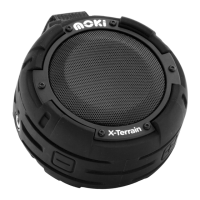
Note: Because the in-built microphone is close to
the speaker it has custom noise cancellation
processing designed to reduce noise interference
and echo feedback. If a caller has trouble hearing
you please ensure the microphone is facing
toward you or position yourself closer to
the AquaBass.
1. To increase volume, hold (
+
) button for
5-10 seconds until desired volume is reached.
(Audio player volume should also be set at an
appropriate level).
2. To decrease volume hold control (
_
) button
for 5-10 seconds until desired volume is reached.
Note: Volume will aect playtime. For longer
playtime set your player volume to high and
decrease the AquaBass volume to desired level.
Volume control


 To Next Page