03
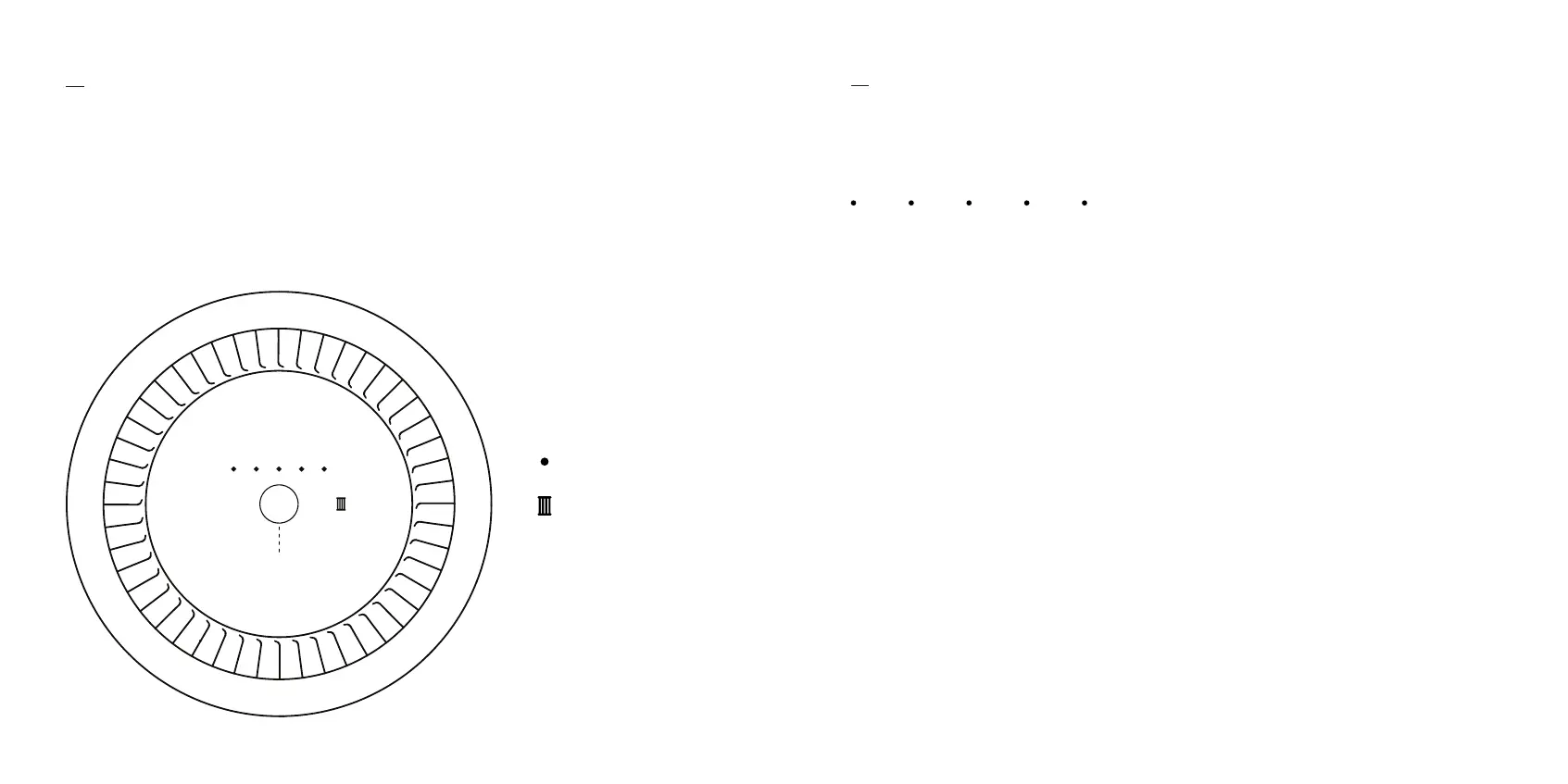
There’s just one button. It’s on top, in the center of the display. Tap it to wake the
device, and cycle through fan speeds. A long press of 3 seconds puts it on standby,
which deactivates the fan, UV-A lights, and display lights.
Controls & Interface
04
Modes & States
Fan Speeds
Your device’s five fan speeds correspond to the number of dotted white lights.
Tapping the button cycles through speeds.
Press here
Fan speeds
PECO-Filter status


 To Next Page