Good
PECO-Filter
86%
Good
Standard
Quiet
Manual
Auto Protect
z
Standby
Device details
Languages
Reset
03
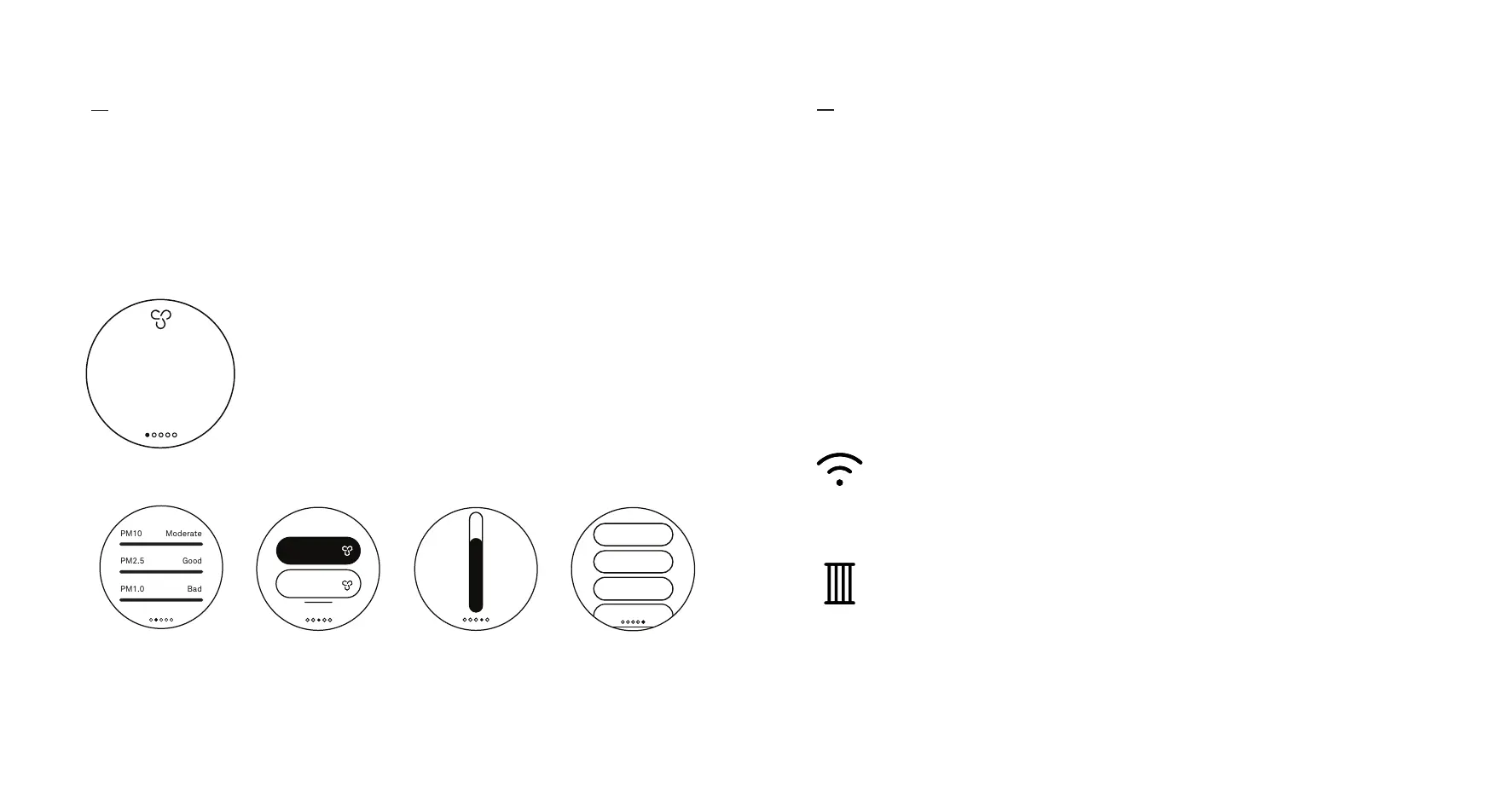
Tap the touch screen once to awaken your device and get a glance at the
PM sensor level and current status of your Air Pro.
Controls & interface
Home screen
Swipe left and right to switch between
the five screens:
PM sensor level SettingsFan modes
PECO-Filter status
A WiFi symbol indicates connectivity issues.
A filter symbol indicates that your PECO-Filter is nearly used up
(orange) or needs to be replaced (red).
04
Modes & states
Home screen
See your overall particle level, from Good (green) to Very bad (purple). Your fan-speed
mode is displayed at the top. Access the fan-speed menu by swiping or tapping
the top of the screen. Access the PM (particulate matter) sensor menu by tapping
anywhere else on the screen.


 To Next Page