Need help?
Do you have a question about the Moller Medical Docon 7 and is the answer not in the manual?
Explains symbols used in instructions, on the device, display, and packaging.
Details text formatting and defines manufacturer/operator responsibilities.
Guidelines for connecting external devices and associated warnings.
Defines the device's purpose, compatible products, and key features.
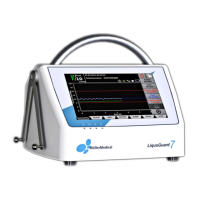
Describes the touchscreen, reset button, and softkey functions.
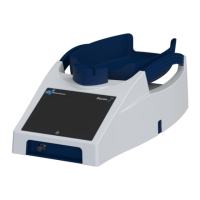
Details the tray, clamp, and device handles and their functions.
Lists and describes various accessories like scanners, sealing handles, and batteries.
Outlines available ports for USB, network, power, and sealing handle.
Covers the basic display, softkeys, system state, and screen keyboard.
Instructions for handling, storing, and unpacking the device.
Steps for setting up the device, including connection and initial checks.
Guidelines for suitable operating environments and interaction with other equipment.
Details on IT network integration and using RFID-tagged blood bag systems.
Step-by-step guide for performing a blood donation using the device.
How to record, save, transmit, and process donation data using DMS software.
Recommendations for storing the device after use.
Overview of accessing and navigating the device's system menu.
Configuring password levels and enabling device options like WLAN or RFID.
Adjusting screen brightness, volume, and energy-saving features.
Setting language, date/time, and loading donation configurations.
Configuring communication interfaces and accessing validation/info submenus.
Troubleshooting common errors and solutions for the Docon 7.
Contact details for service team and distributors for support.
Guidelines for safely cleaning and disinfecting the device surfaces.
Information on routine safety checks and service documents.
Instructions for transporting the device and maintaining battery health.
Proper procedures for environmentally friendly disposal of the device.
Overview of purchasable options to expand the device's capabilities.
Detailed data on dimensions, weight, power, and memory.
Information on RF emissions compliance for different Docon 7 versions.
Details on the device's compliance with electromagnetic immunity standards.
Guidelines for safe distances from RF devices for optimal performance.
A comprehensive list of available accessories with article numbers.
 General
| Model | Docon 7 |
|---|---|
| Probe Connectors | 2 |
| Manufacturer | Moller Medical |
| Ports | USB |
| Power Supply | 100-240 V AC, 50/60 Hz |

 To Next Page