EasyManua.ls Logo

Moman ML9-RGB - User Manual

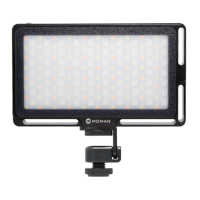
Moman ML9-RGB
2 pages
Print Icon
To Next Page IconTo Next Page
Loading...
1. Power Button
Long press the Power Button to turn on/ o
the product.
3. Mode Switch Button (3 light modes)
Press the Mode Switch Button to switch 3
light modes (CCT; HSI; SCENE).
More details are on the Interface
Introduction.
2. Charging Port
Input voltage: DC 5V
Charging time: about 3 hours
4. Multi-function Button (CCT Mode)
The Multi-function Button is used to adjust
the color temperature of the light when in
the CCT mode, pressing up to increase, and
pressing down to decrease (2500K-8500K).
5. Multi-function Button (HSI Mode)
When the light is in the HSI mode, the Multi-function
Button can adjust the color and color temperature.
When is pointing at “H”, Multi-function Button
is used to adjust the color value, pressing up to
increase and pressing down to decrease (0-360° ).
Press down the Multi-function Button in the middle,
will point at “S”, then you can adjust the color
temperature, pressing up to increase and down to
decrease (0-100).
6. Multi-function Button (SCENE Mode)
There are three subordinate lighting modes under SCENE mode: 1. Warning Lamp mode; 2.
Gradient mode; 3. Lightning mode. Under each subordinate mode, there are A, B, C, three
special eects to freely choose.
When the light is in the SCENE mode, press down the Multi-function Button in the middle
to switch the lighting mode, 1. Warning Lamp mode; 2. Gradient mode; 3. Lightning mode.
Choose the A, B or C option by pressing up and down the Multi-function Button to move
the forward or backward.
More details are on the Interface Introduction.
7. Brightness Control (0%-100%)
Twist the Brightness Control button upward to increase the brightness and downward to
decrease the brightness.
MOMAN
MOMAN-ML9-RGB说明书转曲.indd 1MOMAN-ML9-RGB说明书转曲.indd 1 2020/6/17 下午6:022020/6/17 下午6:02
Question and Answer IconNeed help?

Do you have a question about the Moman ML9-RGB and is the answer not in the manual?

Summary

Operation Guidelines

Power Button Operation

Long press the Power Button to turn on/ off the product.

Charging Port Details

Input voltage: DC 5V, Charging time: about 3 hours.

Mode Switch Button Functionality

Press the Mode Switch Button to switch 3 light modes (CCT; HSI; SCENE).

Multi-function Button in CCT Mode

Adjusts color temperature (2500K-8500K) by pressing up/down.

Multi-function Button in HSI Mode

Adjusts color value (0-360°) and saturation (0-100) in HSI mode.

Multi-function Button in SCENE Mode

Switches SCENE modes (Warning, Gradient, Lightning) and options (A, B, C).

Brightness Control Operation

Twist the Brightness Control button upward/downward to increase/decrease brightness.

Interface Introduction

CCT Mode Details

Explains current brightness and color temperature display in CCT mode.

HSI Mode Details

Details current brightness, saturation, and color display in HSI mode.

SCENE Mode Details

Describes current brightness, subordinate modes, and options in SCENE mode.

Warning Lamp Mode

Simulates special vehicle lighting with three collocation choices.

Gradient Mode

Explains luminous color gradient with three collocation choices.

Lightness Mode

Describes three lightness simulation options.

Maintenance and Notes

Product Maintenance

Guidelines for charging, long-term storage, battery care, and handling.

Important Notes

Precautions against disassembly, submersion, impact, heat, and humidity.

Warranty and Packing

Product Warranty

Information about the limited 1-year free warranty service.

Package Contents

Lists items included in the product package.

Summary

Operation Guidelines

Power Button Operation

Long press the Power Button to turn on/ off the product.

Charging Port Details

Input voltage: DC 5V, Charging time: about 3 hours.

Mode Switch Button Functionality

Press the Mode Switch Button to switch 3 light modes (CCT; HSI; SCENE).

Multi-function Button in CCT Mode

Adjusts color temperature (2500K-8500K) by pressing up/down.

Multi-function Button in HSI Mode

Adjusts color value (0-360°) and saturation (0-100) in HSI mode.

Multi-function Button in SCENE Mode

Switches SCENE modes (Warning, Gradient, Lightning) and options (A, B, C).

Brightness Control Operation

Twist the Brightness Control button upward/downward to increase/decrease brightness.

Interface Introduction

CCT Mode Details

Explains current brightness and color temperature display in CCT mode.

HSI Mode Details

Details current brightness, saturation, and color display in HSI mode.

SCENE Mode Details

Describes current brightness, subordinate modes, and options in SCENE mode.

Warning Lamp Mode

Simulates special vehicle lighting with three collocation choices.

Gradient Mode

Explains luminous color gradient with three collocation choices.

Lightness Mode

Describes three lightness simulation options.

Maintenance and Notes

Product Maintenance

Guidelines for charging, long-term storage, battery care, and handling.

Important Notes

Precautions against disassembly, submersion, impact, heat, and humidity.

Warranty and Packing

Product Warranty

Information about the limited 1-year free warranty service.

Package Contents

Lists items included in the product package.

Overview

The Moman ML9-RGB is a versatile LED video light designed for various lighting needs, offering multiple modes and precise controls for professional and creative applications. This user manual provides comprehensive instructions on its functions, usage, and maintenance.

Function Description

The ML9-RGB features three primary lighting modes: CCT (Correlated Color Temperature), HSI (Hue, Saturation, Intensity), and SCENE. These modes allow users to achieve a wide range of lighting effects, from standard white light to dynamic special effects.

In CCT Mode, the device functions as a standard white light source, allowing users to adjust the color temperature from 2500K (neutral white) to 8500K (cool white). This mode is ideal for balancing with ambient light or creating specific moods. The brightness can also be adjusted from 0% to 100%, providing flexibility for different shooting environments.

The HSI Mode offers more creative control by enabling adjustments to hue, saturation, and intensity. Users can select any color across a 360° spectrum, fine-tune its saturation from 0% to 100%, and control the overall brightness. This mode is particularly useful for adding colored accents, creating stylized looks, or matching specific color schemes in a scene.

The SCENE Mode is dedicated to special effects, offering three subordinate lighting modes: Warning Lamp mode, Gradient mode, and Lightning mode. Each of these subordinate modes includes three distinct special effects (A, B, C) that can be freely chosen.

  • The Warning Lamp mode simulates the lighting of special vehicles, such as police cars, fire trucks, and ambulances, providing realistic visual effects for film and video production.
  • The Gradient mode focuses on luminous color gradients, offering options like RGB Chromatographic slow, RGB Rapid Chromatographic, and Candlelight simulation. These effects are useful for creating dynamic and evolving lighting backgrounds or atmospheric shifts.
  • The Lightning mode provides effects like Lightness 1, Lightness 2, and Screen simulation, which can be used to mimic natural phenomena or screen-based lighting.

Usage Features

The ML9-RGB is designed for intuitive operation with clearly labeled controls.

Power On/Off: The device is turned on or off by a long press of the Power Button.

Charging: The device features a Type-C charging port and supports QC2.0 protocol chargers. A full charge takes approximately 3 hours. The input voltage range is 5-12V.

Mode Switching: A dedicated Mode Switch Button allows users to cycle through the three main lighting modes: CCT, HSI, and SCENE. This makes it easy to quickly change the lighting style as needed.

Multi-function Button: This button serves different purposes depending on the active mode:

  • In CCT Mode, it adjusts the color temperature. Pressing up increases the temperature, while pressing down decreases it.
  • In HSI Mode, the button's function depends on whether "H" (Hue) or "S" (Saturation) is selected. When "H" is active, it adjusts the color value (0-360°). When "S" is active (activated by a middle press of the button), it adjusts the color saturation (0-100).
  • In SCENE Mode, a middle press of the Multi-function Button switches between the three subordinate lighting modes (Warning Lamp, Gradient, Lightning). Pressing up or down allows users to select between the A, B, or C options within each subordinate mode.

Brightness Control: A dedicated Brightness Control button allows for precise adjustment of the light's intensity from 0% to 100%. Twisting the button upward increases brightness, while twisting it downward decreases it.

Mounting: The device includes a 1/4" screw mounting hole, making it compatible with a wide range of camera accessories, tripods, and light stands, enhancing its versatility in various shooting setups.

Display Screen: An OLED screen provides clear visual feedback on the current settings, including battery level, brightness, color temperature, hue, saturation, and selected special effects, ensuring users have full control and visibility of their lighting parameters.

Maintenance Features

Proper maintenance ensures the longevity and optimal performance of the ML9-RGB.

Charging Best Practices:

  • Always remove the USB charging cable once the battery is fully charged to prevent overcharging.
  • If the product is not used for an extended period, it may not turn on immediately due to battery discharge. In such cases, charge the product to resume functionality.
  • It is recommended to charge the product regularly, ideally every 3 months, even when not in use, to maintain battery health.

Battery Longevity: The device features a built-in rechargeable Li-ion battery with a limited lifespan. If the battery performance degrades significantly after years of use, users should contact customer service for battery replacement.

Physical Care:

  • To prevent scratches and damage, avoid dropping or impacting the product.
  • The product is not waterproof, so it should be protected from moisture and liquids.

Operational Considerations:

  • Do not disassemble or modify the product, as this can void the warranty and potentially damage the device.
  • Never submerge the product in water or expose it to fire.
  • During prolonged use, the product may become warm, which is normal. Ensure adequate space for heat dissipation to prevent overheating.
  • Avoid placing the product in high-temperature or high-humidity environments, as this can affect its performance and lifespan.

Warranty: Moman provides a limited 1-year free warranty service for all its products. Users can find detailed terms and conditions on the Moman website.

Packing Contents: The ML9-RGB package includes the ML9-RGB Video Light itself, a Type-C Charging Cable, a Packing Bag for convenient storage and transport, and a User Manual for comprehensive guidance.

Moman ML9-RGB Specifications

General IconGeneral
TypeRGB LED Light
Color Temperature2500K-8500K
Weight120g
Dimensions66*80*30mm
CompatibilityUniversal
Color Temperature Range2500K-8500K
RGB Color Range0-360°
Power SourceBuilt-in Battery
Battery LifeUp to 2 hours (at full brightness)
CRI96
TLCI97
Battery Capacity2000mAh
Charging PortUSB Type-C
LED TypeRGB
Brightness Control0-100% Stepless

Related product manuals