9
English
5 Specifications
DAB+
Frequency received: . . . . . .174.928 MHz to
239.200 MHz
Selectivity
to adjacent channel: . . . .≥ 31 dB
to more remote
channels: . . . . . . . . . . . .≥ 49 dB
Sensitivity: . . . . . . . . . . . . .−97 dB
FM
Frequency received: . . . . . .87.5 – 108 MHz
Tuning increment:. . . . . . . .50 kHz
Sensitivity: . . . . . . . . . . . . .10 μV
Output
Output level:. . . . . . . . . .0.4 V
Connection: . . . . . . . . . .RCA
General information
Power supply:. . . . . . . . . . .230 V/ 50 Hz
Power consumption:. . . . . .50 VA max.
Ambient temperature: . . . .0 – 40 °C
Dimensions (W × H × D): . .482 × 44 × 210 mm,
1 RS (rack space)
Weight: . . . . . . . . . . . . . . .2.15 kg
Subject to technical modification.
All rights reserved by MONACOR
®
INTERNATIONAL
GmbH & Co. KG. No part of this instruction manual
may be reproduced in any form or by any means for
any commercial use.
Button
Function
on the remote control
on the unit
MODE × ×
To switch between:
— FM reception (FM appears on the upper right of the display)
— DAB+ reception (FM disappears)
Storing DAB+ stations
AUTO SCAN × ×
To scan all stations and store them automatically in a list:
Keep the button / knob pressed for 2 seconds until Scanning appears on the dis-
play. All stations are stored when the display indicates the first station from the list.
TUNE
DOWN UP
×
×
×
To call up a station from the list:
Turn the knob TUNE and press the button ENTER* or
press the button DOWN or UP (repeatedly) and press the button ENTER*.
PRESET ×
To assign a station number (1 – 20) to the station set:
1. Press the button PRESET.
2. Use the button DOWN or UP to select the station number desired.
3. Keep the button ENTER pressed for 2 seconds
until PRESET … saved appears on the display.
Storing FM stations
AUTO SCAN × ×
To scan all stations and store them automatically in a list:
Keep the button / knob pressed for 2 seconds until Scanning appears on the dis-
play. All stations are stored when the display indicates the first station from the list.
FM LIST × ×
To call up a station from the list:
1. Press the button FM LIST: FM Station List appears on the display.
2. Turn the knob TUNE or press the button DOWN or
UP to select the station.
3. Press the button ENTER* to call up the station.
DOWN UP × ×
To start the station scan:
Keep the button pressed until the figures start to appear on the frequency indication.
Fine tuning by 0.05 MHz increments:
Briefly press the button (repeatedly).
TUNE ×
To set stations manually: Turn the knob.
PRESET ×
To assign a station number (1 – 20) to the station set:
1. Press the button PRESET.
2. Use the button DOWN or UP to select the station number desired.
3. Keep the button ENTER pressed for 2 seconds
until PRESET … saved appears on the display.
Calling up saved stations
1… 10, SHIFT × ×
No. Buttons
4 4
10 10
18 SHIFT, 8
20 SHIFT, 10
TUNE ×
Turn the knob TUNE.
For DAB+: Select a station from the list and
call it up with the button ENTER*.
For FM: Manually tune the receiving range by 0.05 MHz increments.
PRESET ×
To call up the previous / next station:
1. Press the button PRESET.
2. Press the button DOWN or UP (repeatedly). A station number where
no station is stored will be indicated by Preset . . empty.
3. Press the button ENTER*.
Additional functions
MUTE × ×
To mute and unmute the sound.
INFO × ×
To view additional information for
DAB+
×
×
×
×
×
×
×
×
RDS
×
×
–
×
–
–
×
–
(radio data system for FM, None appears when no information is
available)
Information on title / programme .......[ ABBA - Mama Mia ]
Genre ...........................[ Pop Music ]
Name of the broadcasting station ......[ BBC digital ]
Time / Date .......................[ 15:29 16-01-2018]
Channel and frequency..............[ 5C 178.352MHZ ]
Data rate, mono / stereo .............[ 72kbps Stereo ]
Signal strength ....................[ ƈƈƈƈƈƈƈ ]
Error rate ........................[ Signal error 2 ]
SLEEP × ×
To switch off the tuner automatically:
1. Press the button SLEEP so that Sleep off appears on the display.
2. Use the button DOWN or UP or the knob TUNE to set the time in minutes that is
to elapse until the tuner is switched off.
3. Press the button ENTER*.
4. To show / hide the remaining time to elapse, use the button SLEEP. When the
remaining time is shown on the display, the function can be switched off again
(Sleep off).
5. When the time set has elapsed, the tuner will switch off automatically.
However, any button can be pressed to briefly switch on the display illumination
and to read the time and the date.
6. To activate the function again, press the button SLEEP.
The switch-off time can also be set via the menu.
* Instead of the button ENTER, the rotary knob TUNE – ENTER /AUTOSCAN can be
briefly pressed. (However, this is not possible when the button ENTER must be
pressed for 2 seconds to store a station.)
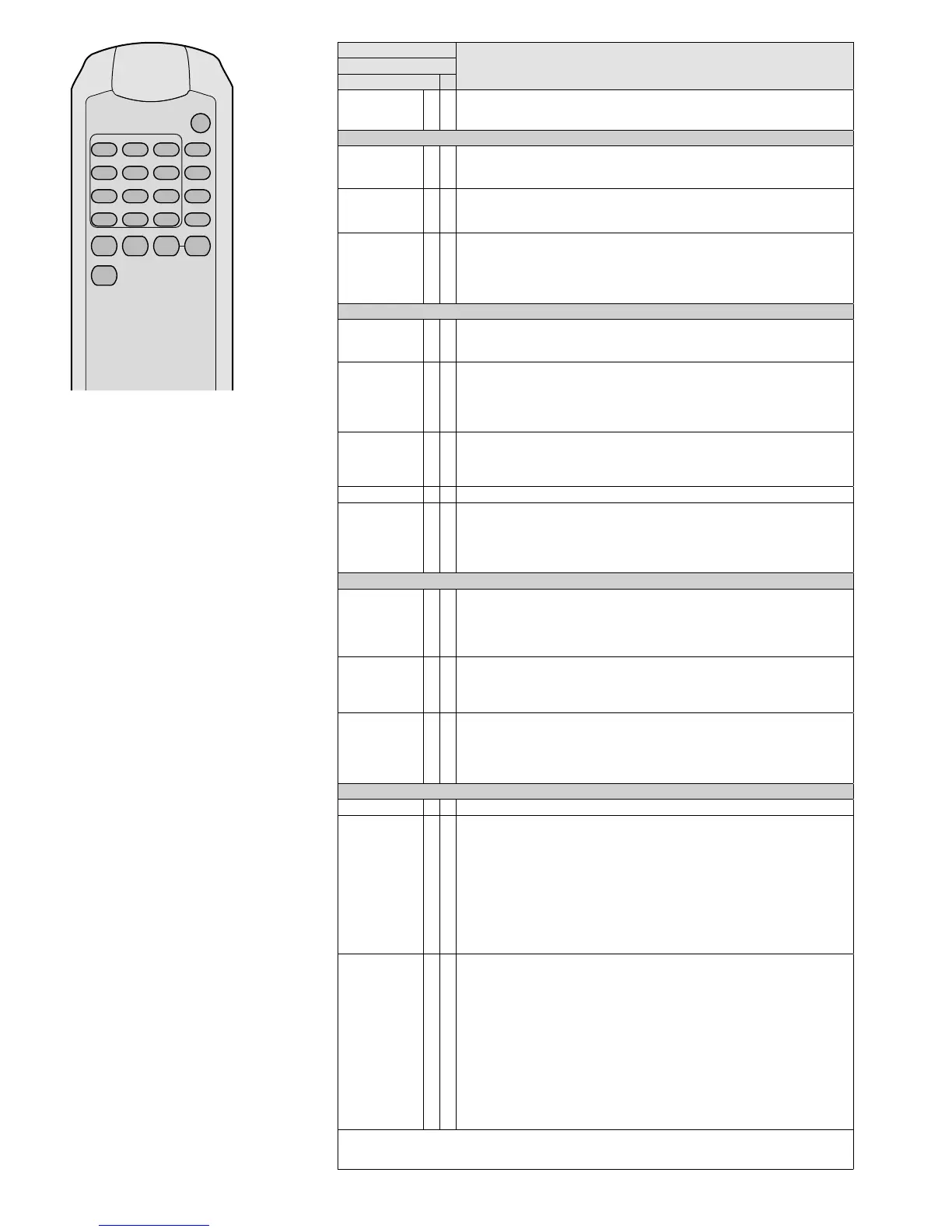
PRESETSHIFT
MUTE SLEEP DOWN UP
FM LIST
10
8
5
2
9
6
3
7
4
1
ENTER
INFO
MENU
MODE
AUTO
SCAN



 To Next Page
 Loading...