- 6 -
Key Components & Instructions
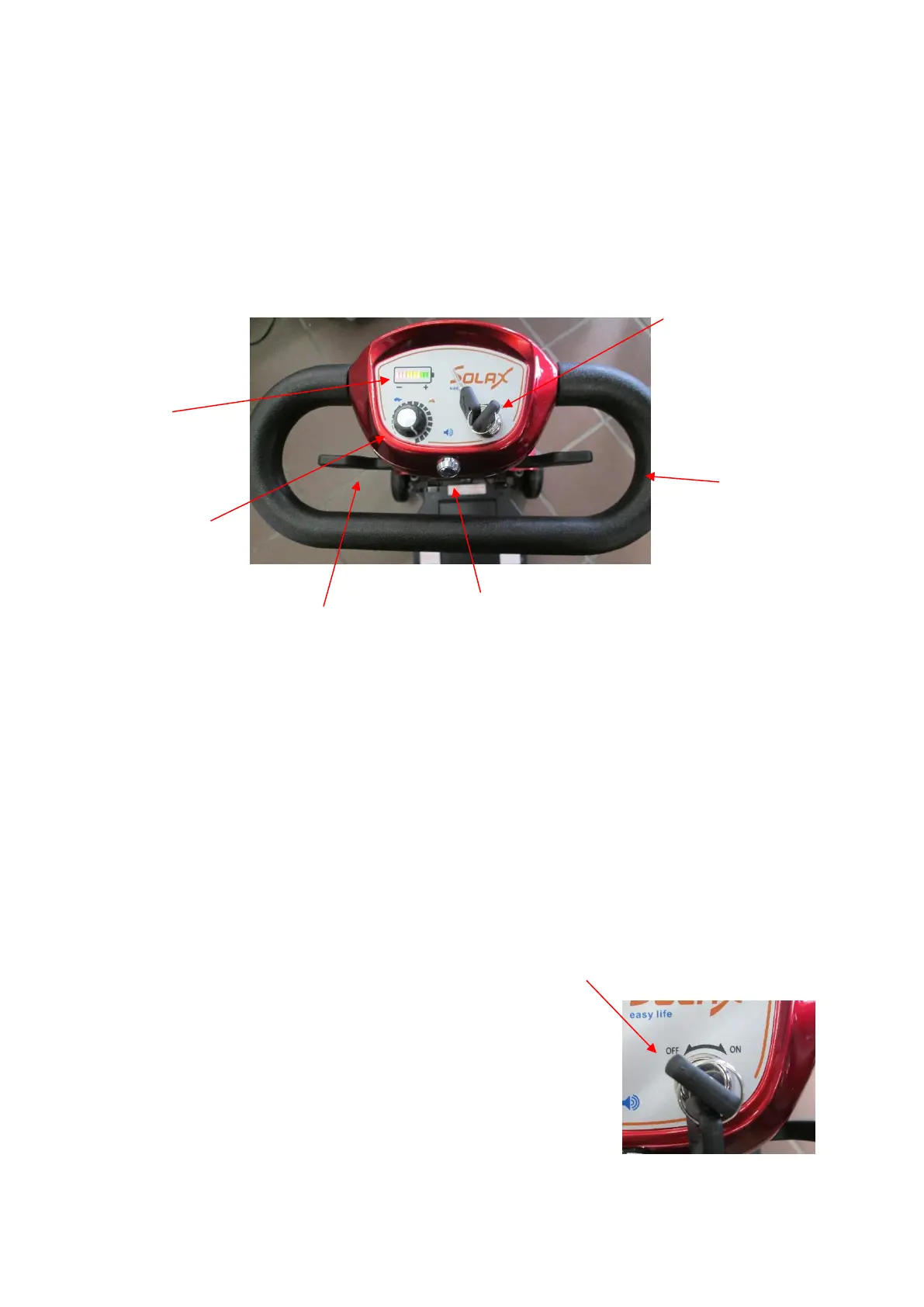
Control Panel
The control panel is used to power the scooter on and off, control the direction and speed,
sound the horn and also indicates the battery charge level.
NOTICE: Make sure to protect the Mobie Plus control panel from humidity and water. If the
control panel has been affected by moisture, please ensure it is dry before use.
1. Key Switch
• Turn the key switch clockwise to ON to operate.
• Turn the key switch anticlockwise to turn OFF
Please turn the power off when you stop


 To Next Page