6. WHERE TO INSTALL MONIMOTO
Monimoto is intended to be placed inside your vehicle in order to track it down in case of a theft. After
setting up and configuring your device hide it in your motorcycle or other vehicle.
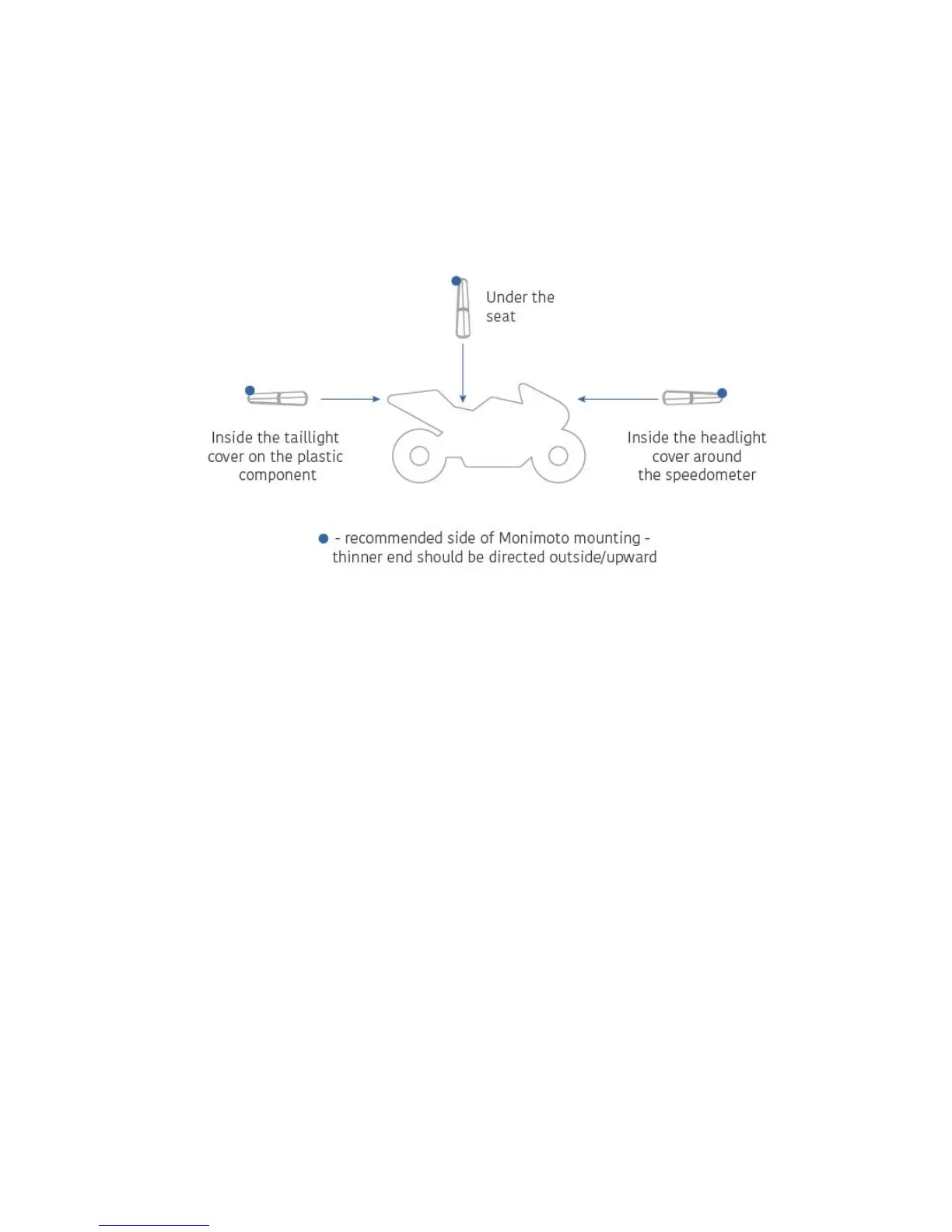
Recommended Monimoto installation locations for your motorcycle:
IMPORTANT: Do NOT put Monimoto in an enclosed metal environment as radio waves cannot
travel through metal!
7. TESTING MONIMOTO
1. Leave your KEY at home.
2. Switch off Bluetooth on your phone.
3. Take your Monimoto-equipped vehicle for a test drive. Or simply do something to keep your bike
moving it for at least 8 seconds.
4. In approx. 1 minute you will receive a call from Monimoto device and soon after the call push
notification should arrive to the Monimoto app.
5. Open the app and check whether it is showing the precise GPS or approximate GSM location.
6. If you got the precise GPS location – put the device to sleep using the app to save batteries and
go home to take the KEY. Congratulations, your vehicle is now safe!
7. In case you received an approximate location please re-install your Monimoto in a different spot
inside your vehicle. Best satellite signal reception is achieved when GPS antenna is pointing
upwards, or to the side. Never install Monimoto with the GPS antenna pointing to the ground!
8. Repeat the test drive until you get the precise GPS location.
IMPORTANT: Before testing Monimoto ensure the KEY is NOT present within the Bluetooth
signal range that is less than 100m (~330ft) away from the device. Also make sure that the
mobile app is closed.


 To Next Page