Need help?
Do you have a question about the Monit Rally G-200 and is the answer not in the manual?
Check required items, tools, and workspace before commencing installation.
Securely attach the rally computer to the vehicle interior, considering safety and usability.
Connect the rally computer's wiring loom to the vehicle's electrical system as per diagram.
Verify all electrical connections are correct and protected before applying power.
Configure the unit for GPS operation, including obtaining satellite signal lock.
Set up the unit to use a wheel sensor instead of GPS, requiring calibration.
Calibrate the wheel speed sensor for accurate distance measurement when GPS is disabled.
Calibrate the fuel measurement system for the G-200 model to suit tank size and shape.
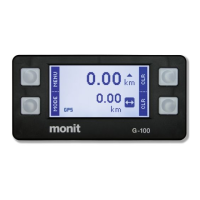
Understand the main screen displaying distance, speed, timing, and fuel information.
Set a specific starting value for the distance counters (Interval or Total).
Change display units for distance and fuel without recalibration.
Adjust screen backlight brightness by holding MENU button or via Settings.
Device turns off after inactivity; can be woken by buttons or movement.
Select parameters to display on the Telemetry Screen to reduce clutter.
Measure vehicle acceleration times for 0-100kph or 0-400m.
Configure external switches for tasks like clearing data or controlling functions.
Record stage time, distance, and speed values using an external switch.
Set a programmable speed alarm with a warning light for events with speed controls.
Manually view and edit wheel speed sensor calibration value (pulses per km/mile).
Configure distance counters to count up or down.
Change distance counter accuracy from ten metres to one metre.
Adjust the automatic low power sleep mode for the device.
Restore all settings to their default factory values.
Address issues with inconsistent distance measurements from the wheel sensor.
Troubleshoot fuel level readings changing with engine status or inaccuracy.
Understand and resolve common error messages encountered during operation or calibration.
 General
| GPS | Yes |
|---|---|
| Acquisition Sensitivity | -148 dBm |
| Accelerometer | Yes |
| Operating Temperature | -20°C ~ +60°C |
| GSM | 900/1800 MHz |
| GPRS | Class 12 |
| Interfaces | USB |
| Connectivity | USB, Bluetooth |
| Position Accuracy | < 2.5m CEP |


 To Next Page