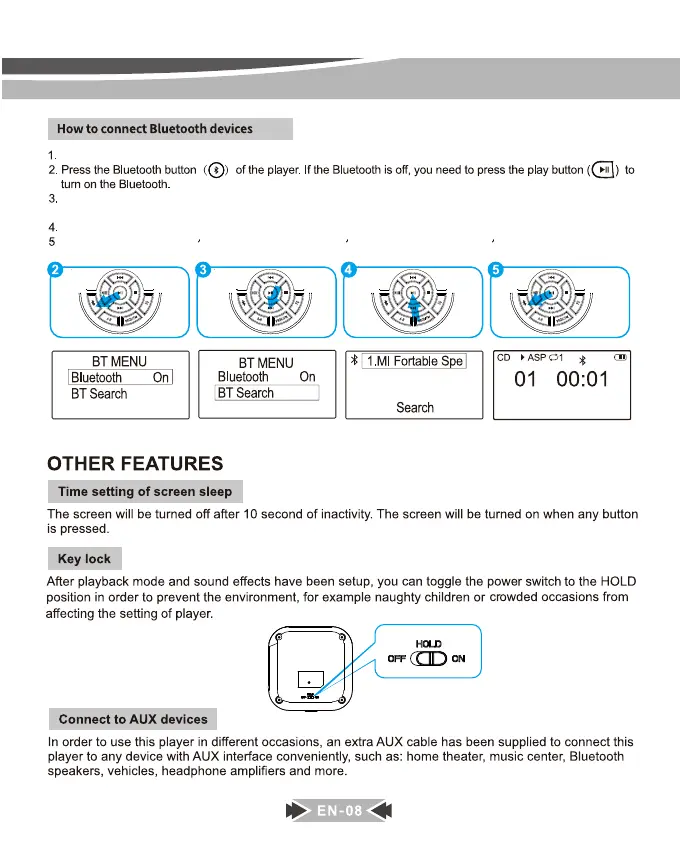
Turn on your Bluetooth headphone/speaker and make sure that the Bluetooth is turned on.
Select “ BT Search ” option, then press the PLAY button, the cd player will start searching nearby Bluetooth
devices.
Press the PLAY button to select the name of your device that needs to connect to.
After paired successfully, press the BLUETOOTH button to return to the play interface.


 To Next Page