7
Bluetooth® Pairing
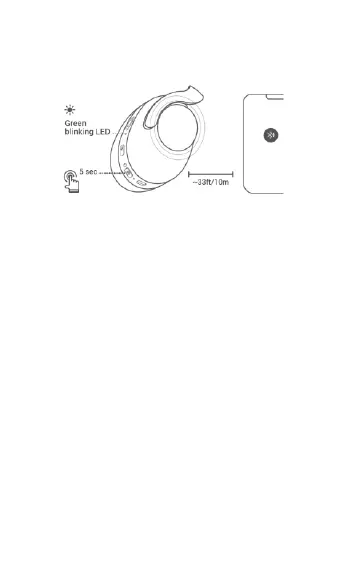
1. With the headphones powered off, press and
hold the Power/Bluetooth Button for 5
seconds to enter Bluetooth® pairing mode. The
Bluetooth Light Indicator will blink green,
indicating that it is in Bluetooth® pairing mode.
2. Open the Bluetooth settings on your phone
and search for nearby Bluetooth devices.
3. Locate and select the MP43453 entry. If
prompted for a passcode, enter 0000 (four
zeros).


 To Next Page