8
Audio Playback
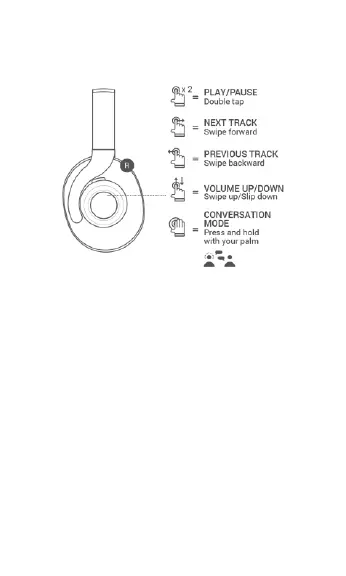
• Double tap the right earcup to Play or Pause
audio playback.
• Swipe forward on the right earcup to skip
forward to the next track.
• Swipe backward on the right earcup to skip
back to the previous track.
• Swipe up on the right earcup to increase the
volume level.
• Swipe down on the right earcup to decrease
the volume level.
• Press and hold the right earcup to temporarily
reduce the volume level, so you can hear



 To Next Page