2
1. OPERATION AND MAINTENANCE
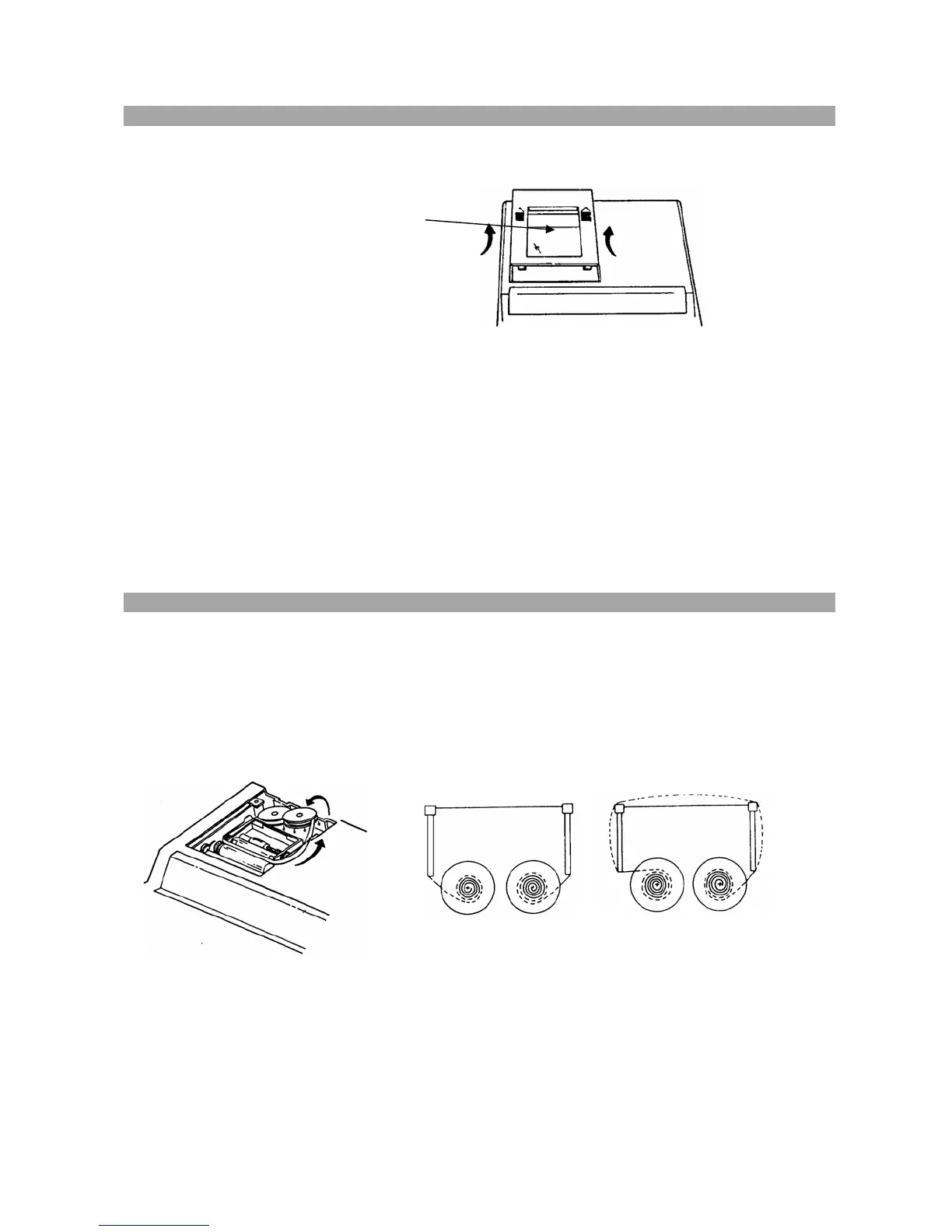
Before Turning On - Please remove the ribbon-cushion located between the ribbon and
the printer cover.
Note: Ribbon cushion is located under
printer cover.
CAUTIONS
- The calculator must not be covered when turned on. This will cause the unit to
overheat.
- Do not use organic solutions such as alcohol to clean the housing.
- Do not use or leave the calculator in direct sun light or areas subject to quick
temperature changes. High humidity and dirt should be avoided.
2. REPLACING INK RIBBON
1. Remove printer cover.
2. Move spool holder to remove both spools
3. Insert new spools. Making sure that black side of ribbon is up, install ribbon around
ribbon guide, noting correct direction.
Correct direction Incorrect direction



 To Next Page