60
Truncate (round down)
+LÄUL
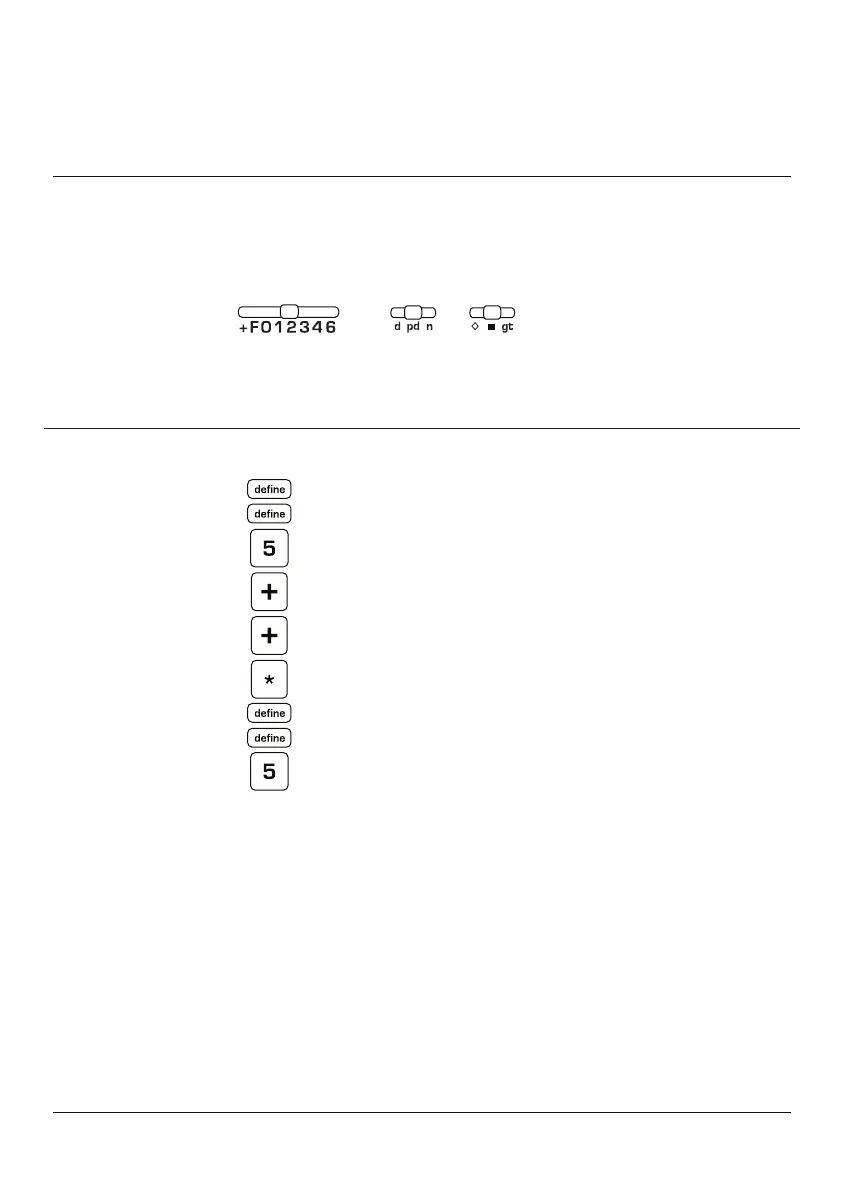
SWITCH SETTINGS
,?(473,
-05+;6;(3
1.444
2.687
1.444C+
2.687 +
4.13
1
ENTER DEPRESS PRINT OPERATIONAL NOTES
Truncate or Round Down
instructs the calculator
to ignore all values past
the decimal setting when
calculating a result or finding
a total. Were this example
performed with the decimal
selector at F, the total would
be 4.136. With truncate, the
decimal digit 6 is ignored or
truncated. Note: Truncate
does not ignore decimal digits
entered (1.444 for example). It
VUS`HJ[ZVU[V[HSZYLZ\S[Z
Special Note: The default
position for the 8125 is
automatic rounding commonly
YLMLYYLK[VHZ0U[OLKLMH\S[
position, any decimal digit past
the decimal setting is reviewed.
If it is 5 or greater the decimal
digit to its left is rounded up. If
it is 4 or less, the decimal digit
to the left is unaffected.



 To Next Page