EasyManua.ls Logo

Monster DNA ONE - Bluetooth Pairing Procedures; First Time Device Pairing; Manual Device Pairing

Monster DNA ONE
10 pages
Print Icon
To Next Page IconTo Next Page
To Previous Page IconTo Previous Page
Loading...
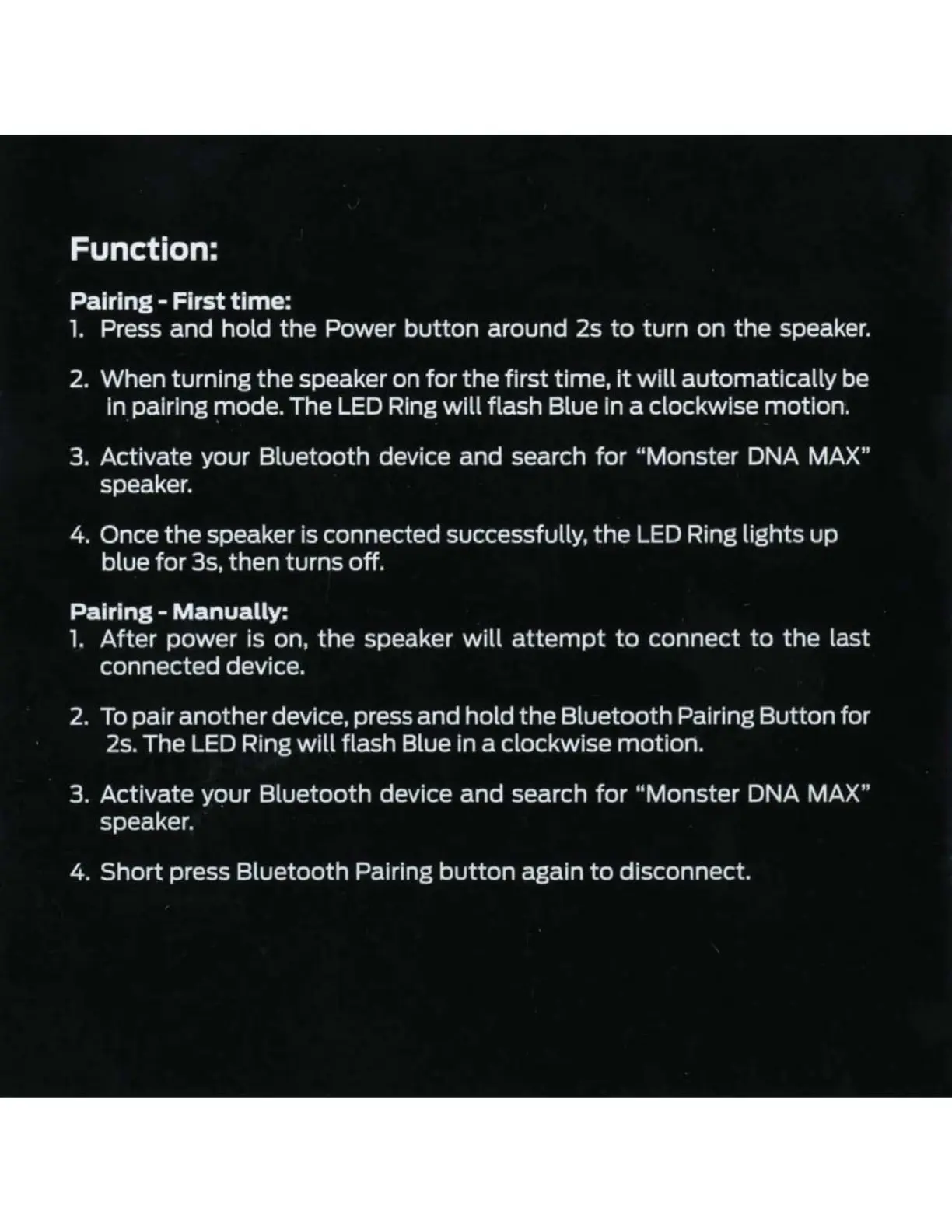
Function:
Pairing - First time:
1.
Press and hold
the
Power
button
around 2s
to
turn on
the
speaker.
2.
When turning
the
speaker on
for
the
first time,
it
will
automatically be
in pairing mode. The
LED
Ring
will
flash Blue in a clockwise motion.
3. Activate your Bluetooth device and search
for
"Monster DNA MAX"
speaker.
4. Once
the
speaker is connected successfully,
the
LED
Ring lights
up
blue
for
3s,
then
turns off.
Pairing-
Manually:
1.
After
power is on,
the
speaker
will
attempt
to
connect
to
the
last
connected device.
2.
To
pair
another
device, press and hold
the
Bluetooth Pairing Button
for
2s.
The
LED
Ring
will
flash Blue in a clockwise motion.
3. Activate your Bluetooth device
and
search
for
"Monster DNA MAX"
speaker.
4.
Short
press Bluetooth Pairing
button
again
to
disconnect.

Related product manuals