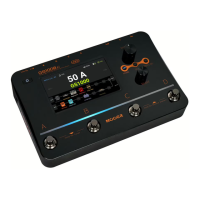
BANKUP/BANKDOWNfootswitches:Presstoswitchbetween85banks.
A/B/CFootswitches:PresstoswitchbetweenPresetA/B/C.
EffectsBlocks:Presstoselecteffectsmoduleandentertheeditmenu.Presstwicetoturnoffthecurrentmodule.
Rhythm:DrumMachine/Metronomebutton.Presstoturnon/offdrummachineormetronome.
EditorButtons
Display:PresstoenterthePreset/effectchaindisplaypage.
SYSTEM:Presstoentersystemmenu.
SAVE:Presstosavecurrentsetting.
GLB-EQ:PresstoenterglobalEQsettingsmenu.GLB-EQsupportsXLR,6.35mm(1/4'')outputandheadphone
output.
CTRL:PresstoenterControlFootswitchmenu.
EXP:Presstoentertheexpressionpedalsettingmenu.
OUTOUT/Headphone/Master:6.35mm(1/4'')output,headphoneoutputandmastervolumeknob.
XLROUTMASTER:XLRoutputleveladjust.
VALUE:Editorknob.Navigateandeditdifferentvaluesandparameters.
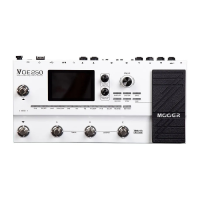
3.5''TFTdisplayscreen
Expressionpedal:Built-inexpressionpedal.Canbesettocontrolwaheffect,volumelevel,orcustomizedvalues.
01
04
02
03
05
06
07
08
09
10
04


 To Next Page