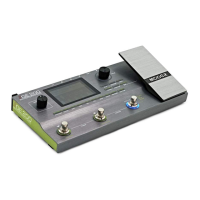
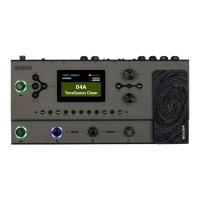
The MOOER HORNET 05i INTELLIGENT AMP is a compact, 5-watt D class digital modeling amplifier designed for guitarists, offering a wide range of amp models and effects, along with integrated practice and recording features.
Function Description:
The Hornet 05i serves as a versatile practice and recording amplifier. It utilizes MOOER's Intelligent AMP system and MNRS technology to deliver 52 amp models and 49 classic and experimental effects, including dynamic/distortion, modulation, and reverb types. The amplifier features a 5-watt D class power amplifier driving a two-inch full-range flat-response loudspeaker. It includes a built-in 80-second looper that can synchronize with its 40 drum machine varieties and 10 metronomes, making it a comprehensive tool for practice and creative exploration. A built-in tuner allows for easy instrument tuning. The device supports Bluetooth 5.0 for high-quality audio input, enabling audio playback or practice with backing tracks. Its USB-C port facilitates high-quality audio recording and playback, offering OTG functionality for direct connection to mobile devices. The amplifier is powered by a rechargeable battery, providing up to 5 hours of battery life.
Important Technical Specifications:
- Rates power: 5-watt class D amplifier
- Mono/Stereo: Mono
- Speaker: 1*2-inch customized full-range flat-response speaker
- Battery: 2000mAh
- Charging requirements: 5V 2A
- Duration: 4 hours (Reference from MOOER laboratory environment test data)
- Num. of effects: 52 amp models, 49 effects (dynamic/distortion/modulation/reverb)
- Looper: 80-second stereo looper
- Wireless footswitch: Support
- Bluetooth: Bluetooth audio playback and App control (Bluetooth 5.0)
- USB digital audio: OTG audio recording, OTG audio playback
- Input jack: ¼" audio input jack, 1Meg ohm
- Dimensions: 130 (D) x 104 (W) x 75.5 (H)mm
Usage Features:
The Hornet 05i is designed for ease of use with a "Super Knob" for power on/off, volume control, and preset switching.
- Power On/Off and Volume: Rotate the Super Knob clockwise until "Click" to power on. Rotate clockwise to increase volume, counterclockwise to decrease.
- Preset Switching: Press the Super Knob to switch between 4 preset patches within the currently selected bank. The knob's LED color indicates the active preset. The device has 10 preset banks, totaling 40 preset patches.
- Tuner: Press and hold the Super Knob for 2 seconds to activate the tuner (LED turns yellow). Tune the guitar via the iAMP App. Press and hold again for 2 seconds to exit tuner mode.
- Bluetooth Connection: Connect to "Hornet 05i Audio" in your mobile device's Bluetooth settings for audio playback.
- MOOER iAMP App:
- Download: Available on Google Play or Appstore.
- Connection: Select "Hornet Series" and "Search" for "Hornet 05i" in the app.
- Registration: Register an account to access MOOER Cloud for downloading and sharing tones.
- Preset Management: Select, edit, and save presets. Click on effect modules to select types and adjust parameters. Drag modules to reorder the effect chain. Save changes using the saving icon.
- Cloud Upload/Download: Download presets from MOOER Cloud by selecting a music type and clicking the download icon. Upload your own presets by selecting a patch, clicking the upload icon, and filling in the details.
- Firmware Update: The app notifies you of new firmware versions. Confirm to update; the device will enter update mode.
- Factory Reset: Reset the device to factory settings via the SETTING-VERSION option in the app menu, clearing all user settings and preset patches.
- MOOER F4 Wireless Footswitch (Optional):
- Pairing: Turn on F4, press and hold footswitch A and C to enter pairing mode. In the iAMP App, click the icon to start pairing.
- Preset Switching: Footswitches A/B/C/D switch between 4 presets in the current bank. A & B scroll up banks, C & D scroll down banks.
- TAP TEMPO: When delay is active, the footswitch LED blinks with the delay time. Press the footswitch of the current preset patch multiple times to set delay time.
- Tuner Mode: Press and hold any footswitch to enter tuner mode. The F4 screen displays note name and pitch status (O for standard, anticlockwise for flat, clockwise for sharp).
- Looper & Drum Mode: In preset select mode, press footswitch B & C simultaneously to enter looper & drum mode ("LD" appears on F4 screen). Press again to quit.
- Looper Control: Footswitch A for REC/PLAY/DUB; Footswitch B for STOP/press and hold for clear.
- Drum Machine Control: Footswitch C for Tap Tempo (press multiple times to set speed); Footswitch D for Play/Stop.
- Drum Groove Selection: Press and hold footswitch C to enter groove selection mode. Use C or D to cycle through grooves. Mode exits automatically after a few seconds of inactivity.
- OTG Recording/Playback: Connect to a smartphone/tablet via the USB-C port for direct recording and audio playback. Requires a correct OTG cable (USB-A female to Lightning/USB-C port) combined with the original USB-A to USB-C cable.
Maintenance Features:
- Cleaning: Use a soft, dry cloth. Slightly moisten if necessary. Avoid abrasive cleaners, alcohol, paint thinners, wax, solvents, cleaning fluids, or chemical-impregnated wiping cloths.
- Operation Precautions:
- Do not toggle switches or rotate knobs heavily.
- Prevent paper scraps, metal debris, or other sundries from falling inside the unit.
- Avoid dropping, pushing, or striking the unit heavily.
- Do not modify the unit without authorization.
- For repairs, contact the MOOER support team.
- Power Supply: Use only a 7.8V (±5%) DC, center negative, 2000mA AC adapter. Unplug when not in use or during electrical storms.
- Connections: Always power off the amplifier and other devices before connecting or moving to prevent damage. Unplug the power supply if the amplifier is idle for a long time.
- Location: Avoid direct sunlight, excessive dust/dirt, high humidity/moisture, extreme temperatures/humidity, magnetic fields, and strong vibrations/shocks to prevent deformation, discoloration, or damage.

 Need help?
 General

 To Next Page