EasyManua.ls Logo

Mooer Hornet Series - User Manual

Mooer Hornet Series
6 pages
Print Icon
To Next Page IconTo Next Page
Loading...
Skip to content
Manuals+
User Manuals Simplified.
MOOER Hornet Series 15 Watt Combo Owner’s
Manual
Home » Mooer » MOOER Hornet Series 15 Watt Combo Owner’s Manual
Contents [ hide
1 MOOER Hornet Series 15 Watt Combo Owner’s Manual
1.1 MOOER HORNET
1.2 Precautions
1.3 Main Features
1.4 Top Panel Layout
1.5 Back Panel Layout
1.6 Modes and Saving
1.7 Wireless BT Connection
1.8 Technical Parameters
2 Related Manuals:
MOOER Hornet Series 15 Watt Combo Owner’s Manual
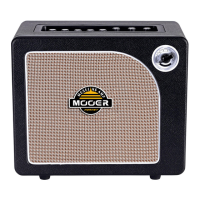
MOOER HORNET
Congratulations on your purchase of the MOOER HORNET 15 watt digital modeling combo amplifier.
We recommend reading this manual in full to see all of the features that your new Hornet has to offer.
We hope you enjoy playing with your new HORNET from MOOER.
Question and Answer IconNeed help?

Do you have a question about the Mooer Hornet Series and is the answer not in the manual?

Summary

Precautions

Safety and Usage Guidelines

Covers power, connections, cleaning, interference, and location guidelines.

FCC Compliance

Outlines FCC compliance conditions for device operation.

Main Features

Top Panel Controls

Input, Gain, and EQ

Controls for instrument input, gain, and three-band EQ.

Volume, Effects, and Tempo

Adjusts output volume, selects/controls effects, and sets tempo.

Mode Selection and Bluetooth

Toggles between Live/Preset modes and controls Bluetooth connectivity.

Interface Components

Top Panel LED Screen

Displays information such as amp model, tuning functions, etc.

Back Panel Layout

Details power switch, DC input, audio ports, and carry handle.

Modes and Saving

Live and Preset Modes

Explains operation in Live mode versus Preset mode for stored settings.

Amp Settings and Global Volume

Saving Amp Settings

Instructions on how to save custom tones for amp models.

Global Volume Control

How to adjust the overall output volume affecting all audio sources.

Wireless BT Connection

BT Pairing Procedure

Steps to connect wirelessly via Bluetooth, including pairing code.

Technical Parameters

Input;Output and Sampling Specs

Details audio interface impedance, sampling rate, and accuracy.

Power, Speaker, and Dimensions

Covers power supply, speaker specs, dimensions, and weight.

Included Accessories

Lists items included with the amplifier, like manuals and power supply.

Mooer Hornet Series Specifications

General IconGeneral
BluetoothYes
Headphone OutputYes
Speaker Size6.5 inches
EffectsDelay, Reverb
Input1/4"
TypeModeling Amplifier
Channels2
Outputs1 x 1/4"
EQ Controls3-band
FootswitchOptional

Related product manuals