
 Need help?
Do you have a question about the moon 650D and is the answer not in the manual?
Essential safety guidelines for operating the MOON 650D, including cleaning, water avoidance, and heat sources.
Critical warnings about electric shock risks, emphasizing not opening the unit and seeking qualified personnel.
Explanation of the lightning flash and exclamation point symbols used to indicate electrical and operational hazards.
Information regarding the CE marking, indicating compliance with European EMC and Low Voltage Directive standards.
List of accessories provided with the MOON 650D, such as power cable, remote control, and manual.
Guidance on performing a thorough physical inspection after unpacking and reporting any damage.
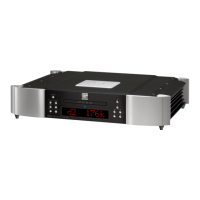
Abbreviated list of significant design features, including DAC technology, CD drive, and input/output options.
Recommendations for selecting a suitable location, surface, and ensuring adequate space for heat dissipation.
Instructions on adjusting the unit's adjustable cones for leveling and maintaining optimal performance.
Function of the Standby button for engaging/disengaging the unit and maintaining optimal performance.
How to program a sequence of tracks for playback, including maximum track limits and clearing programs.
Adjusting the brightness of the digital display window and turning it off.
Using the Repeat button for single track or entire disc repetition, including program mode repetition.
Selecting digital inputs (AES/EBU, S/PDIF, TosLink, USB) and understanding the display indicators.
Playing tracks in a random order and how it interacts with programmed tracks.
Scrolling through different display modes for track and disc time information.
Instructions on how to load, play, pause, stop, skip tracks, and handle incompatible discs.
Details on RCA and XLR analog audio output connectors and recommendations for cable use.
Explanation of digital audio input (AES/EBU, S/PDIF, TosLink, USB) and output connectors.
Information on RS-232, SimLink, and IR IN connectors for external control and integration.
Details on the AC power switch, IEC receptacle, and external power supply input connectors.
How SimLink™™ enables integrated amplifier control, display synchronization, and standby mode coordination.
Basic rules for connecting SimLink™™ cables correctly between MOON components.
Step-by-step instructions for the initial power-up sequence of the DAC / CD Transport.
Recommended power up/down sequence for the 650D and associated audio components to prevent noise.
How to install batteries, operate the remote, and use specific buttons for playback and input selection.
Detailed explanation of the remote's playback controls (Play, Pause, Stop, Skip, Scan) and input selection.
Explanation of the FRM-3 remote's backlight feature and its three operational modes for battery preservation.
Description of balanced audio signal transmission and how it eliminates noise compared to unbalanced connections.
Detailed technical specifications for the MOON 650D, covering power, dimensions, inputs, outputs, and performance metrics.
Information on the correct fuse types and ratings for 120V and 230V versions of the MOON 650D.
 Power
Power| digital power supply transformer | 25VA |
|---|---|
| analog power supply transformer | 10VA |
| digital power supply capacitance | 17, 600µF |
| analog power supply capacitance | 8, 800µF |
| power consumption at idle | 25 Watts |
| AC power requirements | 120V / 60Hz or 240V / 50Hz |
 Audio Performance
| frequency response (audible) | 20Hz - 20kHz +0/-0.1dB |
|---|---|
| frequency response (full range) | 2Hz - 100kHz +0/-3dB |
| THD @1kHz, 0dBFS (A-weighted) | < 0.001% |
| intermodulation distortion | < 0.001% |
| dynamic range | > 120dB |
| signal-to-noise ratio | > 120dB @ full output |
| slew rate | 50V/µs |
| channel separation | > 116dB |
| low level linearity | < ±0.25dB at -90dBFS |
| intrinsic jitter | 1 picosecond RMS |
Analog Outputs| analog outputs – balanced | 1 pair XLR |
|---|---|
| max. analog output @ 0dBFS - XLR | 2.0 Volts |
| analog output impedance - XLR | 100Ω |
| analog outputs – single ended | 1 pair RCA |
| analog output impedance - RCA | 100Ω |
| max. analog output @ 0dBFS - RCA | 2.0 Volts |
Digital Inputs and Outputs| bit-depth range / sampling frequency – all inputs | 16 to 24 bits / 44.1kHz to 192kHz |
|---|---|
| digital inputs | AES/EBU (XLR), S/PDIF (RCA), TosLink, USB Type-B |
| digital outputs | S/PDIF (RCA), AES/EBU (XLR) |
| digital input/ output impedance - S/PDIF | 75Ω (0.5 Volts p-p) |
| digital input/ output impedance - AES/EBU | 110Ω (3.7 Volts p-p) |
Physical Characteristics| shipping weight | 35 lbs / 16 Kgs |
|---|---|
| dimensions (W x H x D, inches) | 18.75 x 4.0 x 16.81 |
| display type | 8 character dot matrix LED |

 To Next Page