EasyManua.ls Logo

MOOSE MPI-712a - Configuration Digits Explained; Alternate Programming Mode Entry; Restoring Factory Defaults

MOOSE MPI-712a
8 pages
Print Icon
To Next Page IconTo Next Page
To Previous Page IconTo Previous Page
Loading...
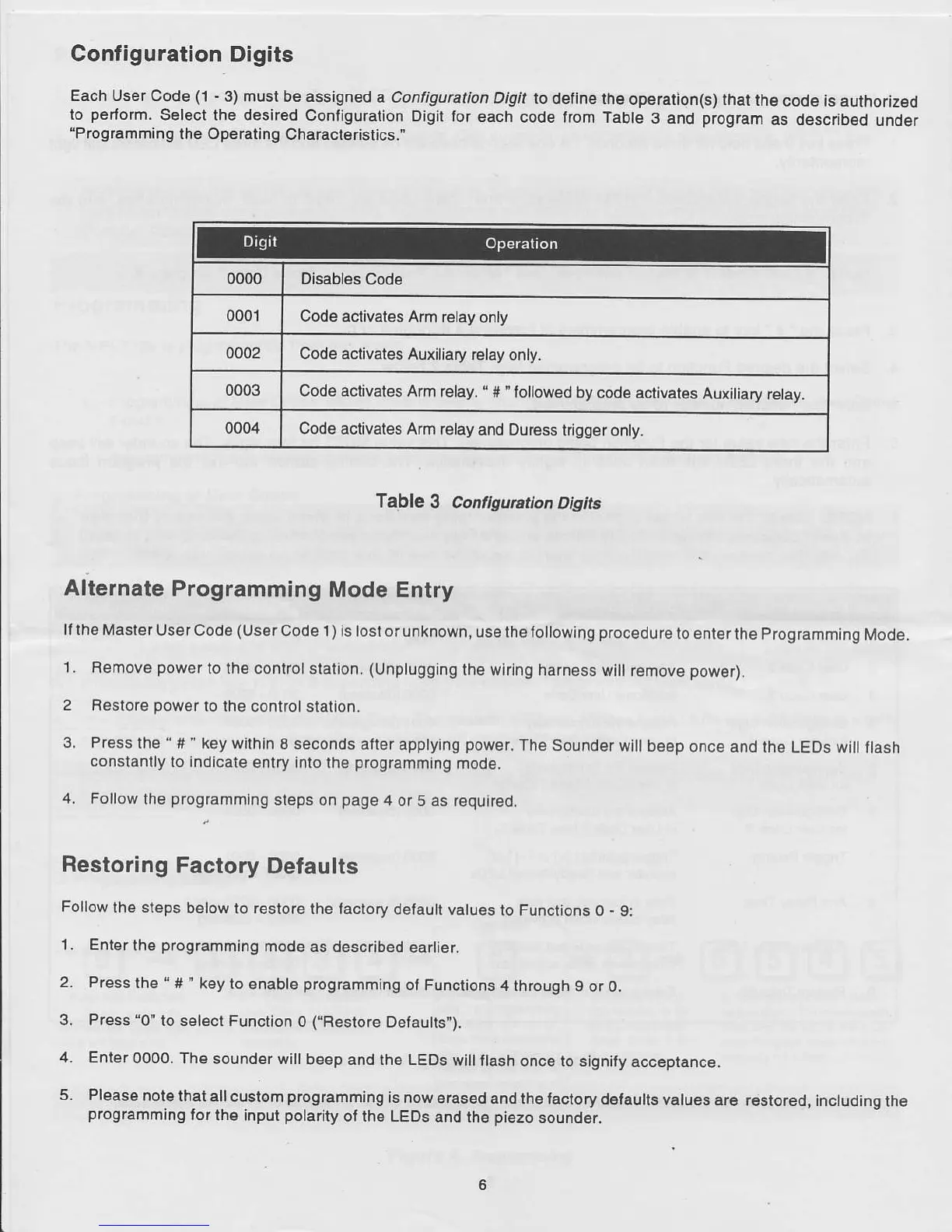
Configuration
Digits
Each User Code
(l
-
3) must be assigned
a Configuration
Digil
to define the
ope.ation(s) that
the
code is authoriz€d
lo
perform.
Selecl the desired
Configuration Digit lor
each
code trom Table
3 and
progfam
as describsd
under
'Prog16mlning
the Operating
Characteristics.'
0000 Disabl€s
Code
0001
Code aclivates
Am r€lay
only
0002
Code aclivates Auxiliary
relay
only.
0003
Code activates Arm
relay.
'
#
'followed
by
code ac.tivates
Auxiliary
relay.
0004
Code activates A.m relay
and Dur€ss
trigg€ronly.
fable
3 Conflgunt on
Dtgt&
Alternate
Programming
Mode Entry
ll lh€ Master
User Code
(usorcode
I
)
ls losl or unknown,
use th€ tollowing
p.ocedure
lo ent€rthe
Programming
Mode.
1.
R€move
power
to the control station.
(Unplugging
ihe wlrlng ha.n€ss
wlll remove
power).
2 Restore
power
to lhe
conlrol slatlon.
3 Pr€ss
lhe
'
#
'
key withln
I seconds aller
applying
power.
The Sound€r
wlll beep onc€
and the LEos will
flash
con6tanlly
to indicate
entry Into th6
programming
mod9.
4.
Follow
the
progJamming
steps on
pag€
4
or 5 as required.
Restoring
Factory
Defaults
Follow
lh€
steps
below
to restore the
laclory default
valu€s to
Functions O
-
9:
1. Enter
lhe
programming
mod€ as described
earlier.
2.
Press
the " #' key
to enable
prognmming
of Functions
4 through
9 or 0.
3. Press'0'to
select
Function 0
("Restore
Defautts").
4. Ent6r
0OOO. The
sounder wi
beep and the LEDS
wi
ash once to signity
accepranc€.
5.
Pleas6 noto
that all
custom
programming
is now
eras€d and
the factory defaults
values ar6
r€stored, inctuding
the
programming
for
the input
polarity
of the LEDS
and th€
piezo
soundgr.