4
FUNCTION PANEL
LCD SCREEN DESCRIPTION
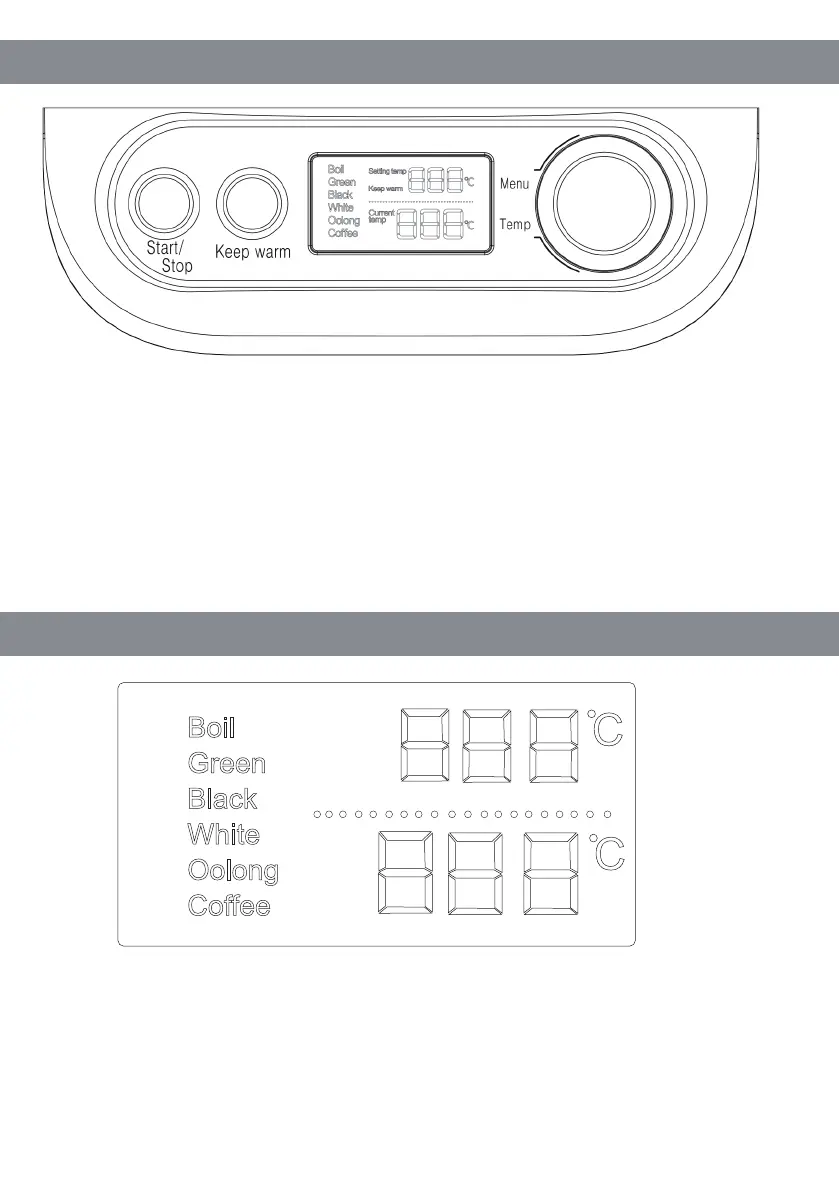
1. Start/Stop Button: This key is used to start or stop a program.
2. Keep warm Button: Used to keep the preset temperature 2 hours.
3. LCD Screen: The menu is displayed on the left, the selection status area is
in the middle, and the number on the right shows the temperature.
4. Knob: Used to select menus and set temperature. The temperature can be set
more accurately by 1 degree.
1.
Left :Shows menu: Boil, Green Tea, Black tea, White Tea, Oolong Tea, Coffee;
2. Middle : "Set temperature" and "Keep warm" is displayed in the upper column,
"Current temperature" is displayed in the next column.
Setting temp
Keep warm
Current
temp



 To Next Page