22
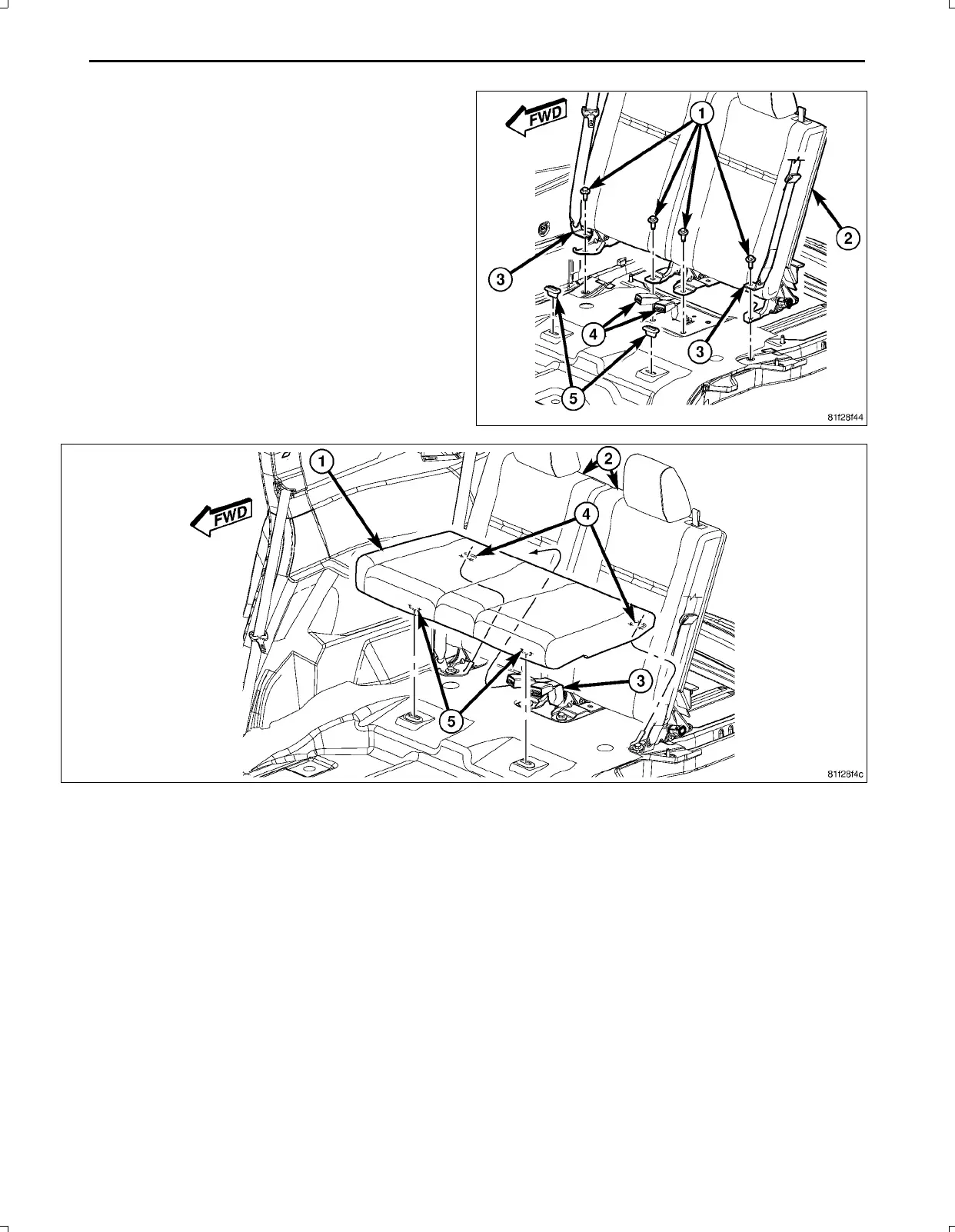
96.Installtheseatbackfrontmountingfasteners(1).
97.Placethethirdrowseatcushion(1)intoposition.Makesurethattheseatbeltsarepositioncorrectly.
98.Presstheseatcushionback(2)andundertheseatback.
99.Ensuretheseatretaininghooks(4)slideunderthebodysidehooks.
100.Firmlydepressthefrontoftheseatcushiondown,ensuringthattheseatretainers(5)engage.
Feb02,2011K6861161



 To Next Page