K6862043
3/11/14
13
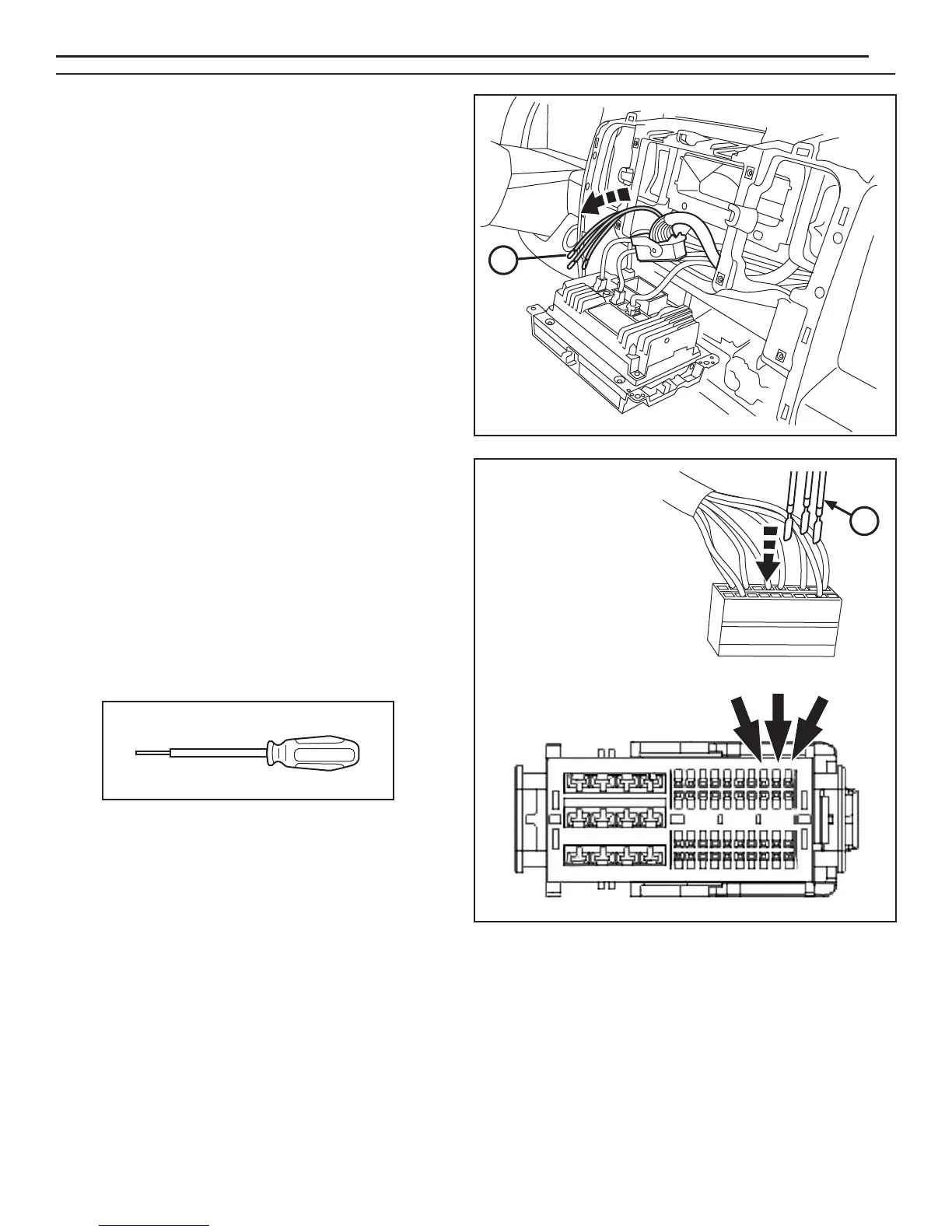
55. If necessary, depopulate the three existing wires
indicated from the connector and tape back onto
the harness. Insert the new wires from the
camera harness as follows:
Cavity 31 GRY/BLU
Cavity 32 GRY/ORA
Cavity 33 - Bare
56. Check all wiring and trim all cable ties.
57. Reconnect the battery.
58. Reverse steps 45 through 52, 26, and 3 to reinstall all vehicle components.
59. Follow the Vehicle Configuration Instructions on the next page.
54. Feed the three-prong end of radio harness (B) up into
the center stack and out through the radio opening.
NOTE: Use Miller 6680 Depopulate Tool to remove wires.
B
www.mopar.com
B
PIN 31
PIN 32
PIN 33


 To Next Page