BATTERY CHANGE INSTRUCTIONS-LED DISPLAY
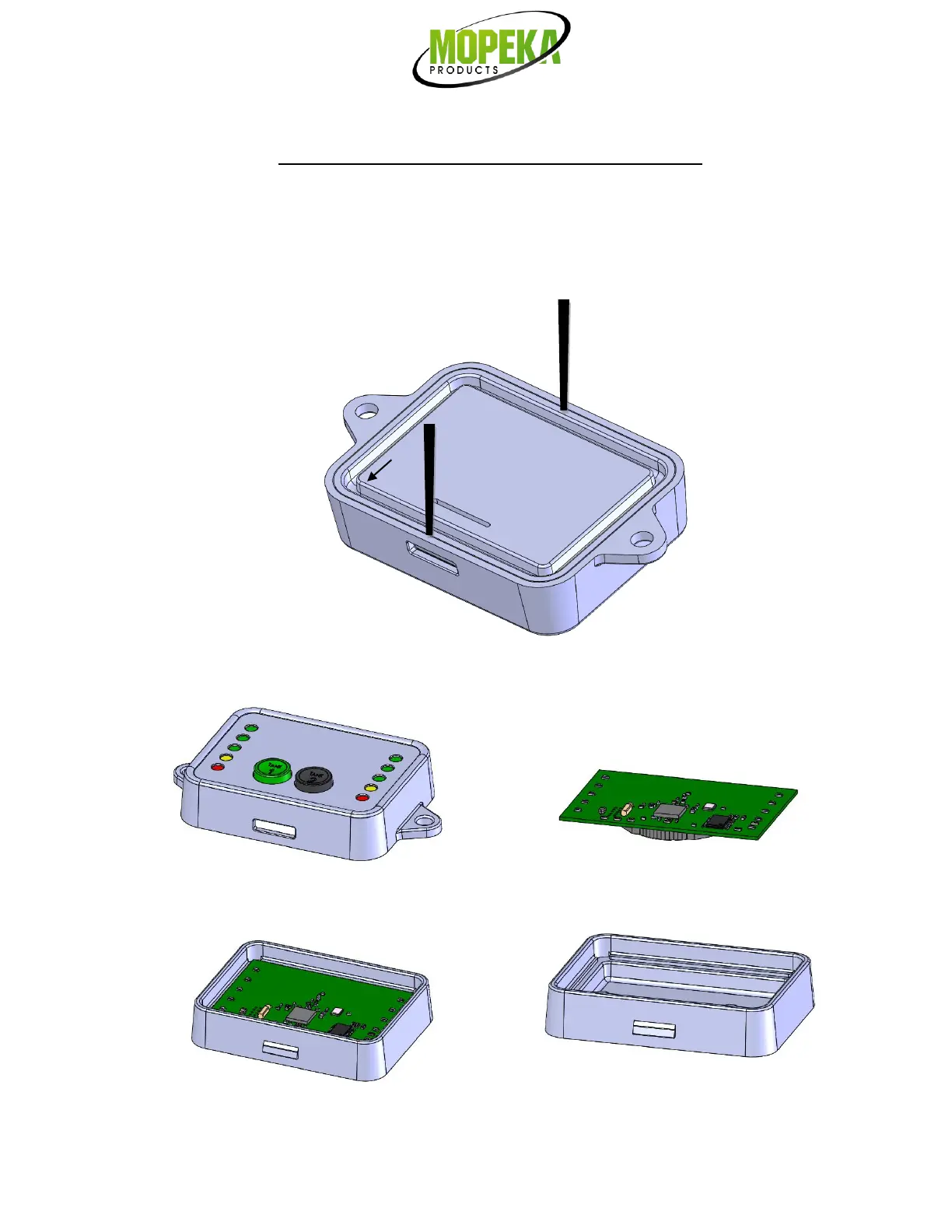
1. The standalone display lid is held in place by a snap fit, in 2 places. In the locations shown, insert
small screwdriver between lid and base and pry outward to release snap fit. Lid can then be lifted
out of assembly.
2. Lift electronics board out of assembly and remove battery. Place new battery in same orientation.
3. Place electronics board back into the base. Place buttons and snap lid back to base.



 To Next Page