EasyManua.ls Logo

MOPTIM iRef - User Manual

MOPTIM iRef
20 pages
Print Icon
To Next Page IconTo Next Page
Loading...
OPERATION GUIDE
V1.0
iRef Manual Refractometer
3
6
9
12
15
ENGLISH
ESPAÑOL
FRANÇAIS
ITALIANO
SHENZHEN CERTAINN TECHNOLOGY CO., LTD.
Bldg.2-C, Zone 2, GOTO Digital Technology
Park, No.137 Bulan Rd., Longgang District
518112 Shenzhen, P.R.China
www.moptim.com
sales@moptim.cn
+86 0755 8408 4505
CONTENTS

Questions and Answers

Summary

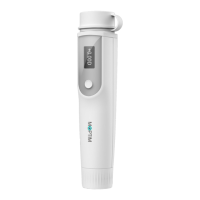
Device Components

Eyepiece

The part of the device through which the user looks to view the eye chart.

Occluder

A component used to cover one eye during the examination.

Screen

The display showing measurement results and device status.

Power Button

Button used to turn the device on and off.

Dial

Rotary control used to adjust settings like refractive power.

Eye Chart

Visual aid with letters or symbols used for vision testing.

Estimate Refractive Error

Evaluate Astigmatism

Estimate Far Vision

Visual Acuity Conversion Table

Summary

Device Components

Eyepiece

The part of the device through which the user looks to view the eye chart.

Occluder

A component used to cover one eye during the examination.

Screen

The display showing measurement results and device status.

Power Button

Button used to turn the device on and off.

Dial

Rotary control used to adjust settings like refractive power.

Eye Chart

Visual aid with letters or symbols used for vision testing.

Estimate Refractive Error

Evaluate Astigmatism

Estimate Far Vision

Visual Acuity Conversion Table

MOPTIM iRef Specifications

General IconGeneral
BrandMOPTIM
ModeliRef
CategoryMeasuring Instruments
LanguageEnglish
