© More 2022
more.com.au
10
| FTTC Connections
Step 4
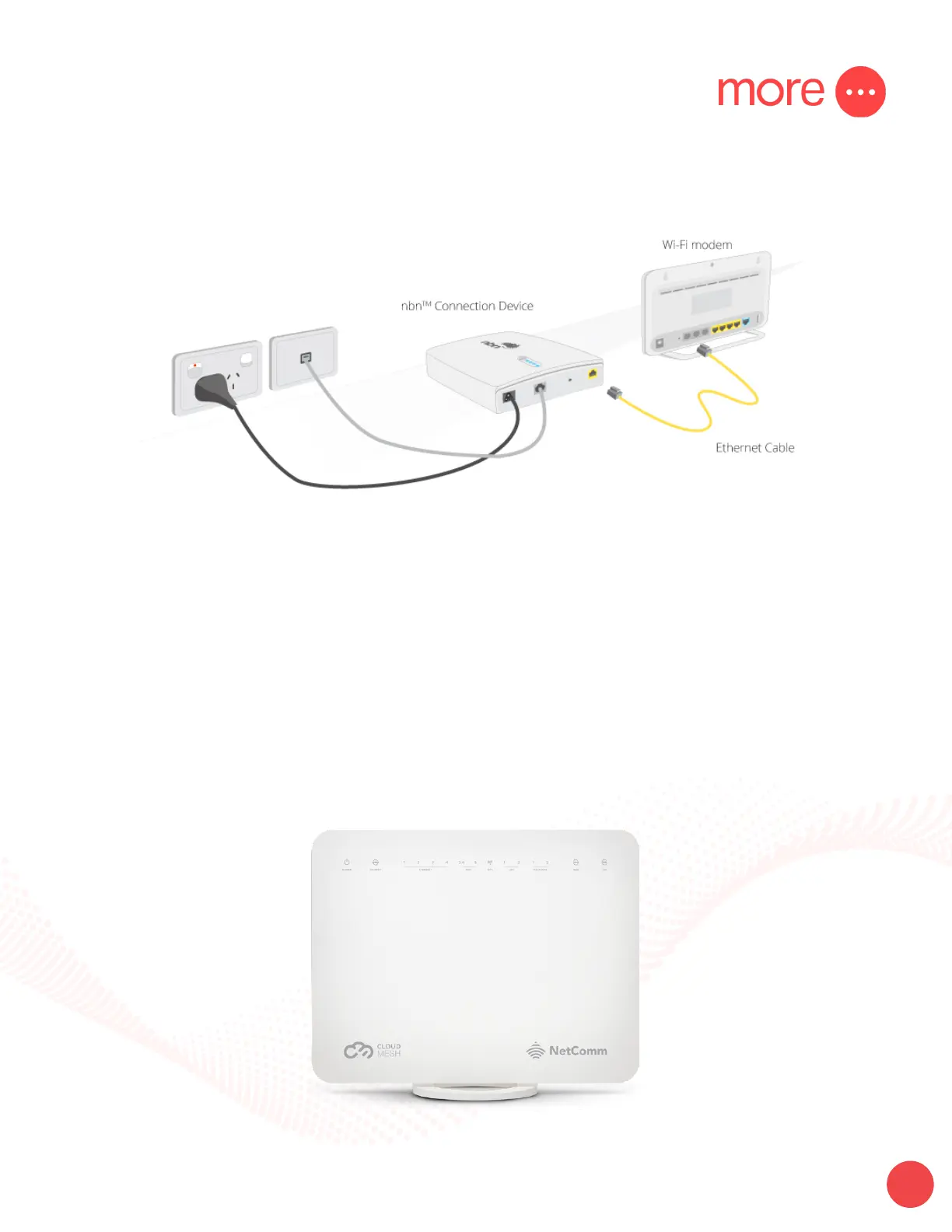
Connect your Netcomm modem to the NBN Connection Device (NCD). Use the blue WAN port on the back of
your modem and the Gateway port on the NCD.
Step 5
After you have successfully connected your Netcomm modem, please leave this connected while NBN
complete activation of your service. This can take between 20 minutes & one hour to complete.
From time to time check whether you are able to access the internet using your modem. If after 2 hours you are
still not able to access the internet please consult the troubleshooting tips below.
Check lights
Once connected to the network, the Power, WAN & WiFi 2.4 – 5 lights will display a steady green light. The
internet light will be ashing.


 To Next Page