7
Optional
For a proper use of a ducted stove, it is appropriate that for each ducted
output a room sensor (model NTC 10k at 25°) or an ON/OFF thermostat
or a wireless thermostat is connected. A stove without the above compo-
nents connected can never go into Modulation. Observe the technical
data sheet on the product manual in order to verify where the connecters
for connecting the sensors or thermostats are located on the back of the
stove.
Note: With the AUTO configuration set, the fans will go into Modulation
when the SET temperature is reached.
Note: With the MAN configuration set, the back fans operate manually
(this configuration is used in the absence of room sensors or ON/OFF
thermostats).
Single ducted outlet (CN) stove function
CN
F
Figure 11
• To access the fan power setting from the main screen, press the
P5 button. To change the power setting, simply press the P2
button, press the P4 button to confirm. The display shows the set
value.
CN
CN
REGULATE CN
25 °C
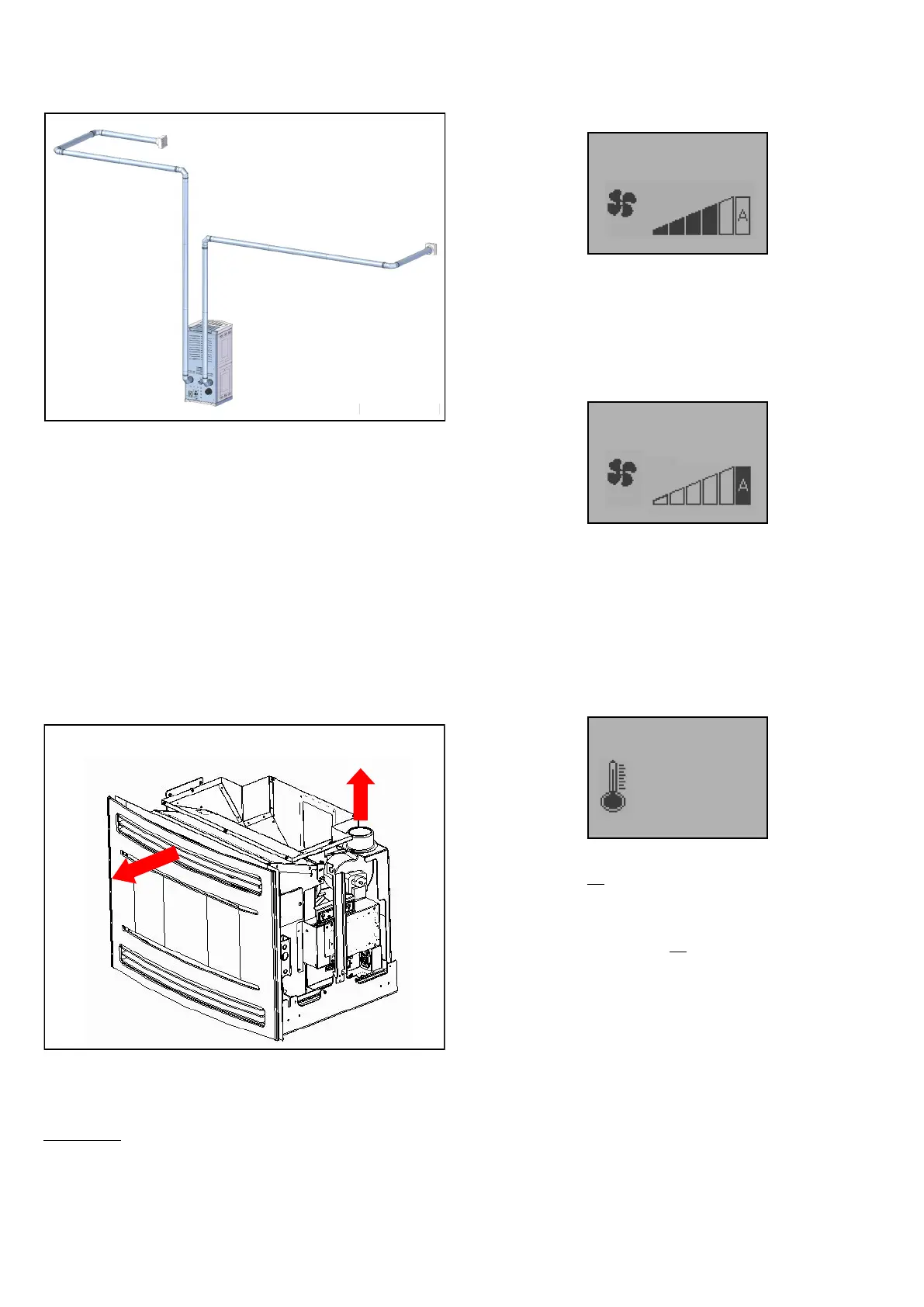
The ducts for conveying warm air from the stoves output (80 mm) must
not exceed 7 meters in length and must not have more than 4 curved
sections. We recommend the use of smooth insulated rigid steel pipes.
EXAMPLE
Figure 10
MANUAL: Set the Fan Mode (page 15) to MAN.
In this mode it is possible to set the operating power of the CN outlet fan
independently from the set temperature and power level on the stove,
whether a room sensor or an ON/OFF thermostat or radio thermostat
has been connected.
When the room temperature reaches the set value (SET ROOM TEMP),
the stove goes into Normal Modulation, the front F fan runs at minimum
speed and the CN fan continues to run independently depending on the
set power level (CN).
If A is set, when the room temperature reaches the set value on the
stove (SET TEMP ROOM), the stove goes into Normal Modulation and
the F, CN fans run at minimum speed.
AUTOMATIC: Set the Fan Mode (page 15) to AUTO.
1) SOND: It is possible to set the CN outlet temperature when a room
sensor is connected to the stove.
NOTE: It is necessary to configure the 35 CONF. T-E CANALIZ parame-
ter in System menu / FACTORY SETTINGS to SONDA.
• To enter REGULATE CN press the P5 button, to change the
temperature of the CN outlet sensor, simply press the P1 and P2
buttons, press P4 to confirm. The display shows the current
status of the set temperature.
When the room temperature reaches the set value on the stove (SET
ROOM TEMP), but not the SET temperature for the CN fan (REGULATE
CN), the stove continues to operate at its set power (POWER SET), the
F fan runs at minimum speed and the CN fan continues to run at the set
power level on the stove.
When the room temperature has not yet reached the set value on the
stove, but has reached the SET temperature for the CN fan, the stove
continues to operate according to the set power level together with the F
fan and the CN fan runs at minimum speed.
When the room temperature reaches both the set value on the stove and
the SET temperature for the CN fan, the stove goes into Normal Modula-
tion and the F, CN fans run at a minimum.
2) NO S: No room sensor has been connected to the stove.
NOTE: It is necessary to configure the 35 CONF. T-E CANALIZ parame-
ter in System menu / FACTORY SETTINGS to NO S.
• It is not possible to SET the temperature on the Remote Control
and if the P5 button is pressed the display shows the power bar
which remains fixed on A.


 To Next Page