5.1. How to handle Cover-Binding
Cover Sheet Position
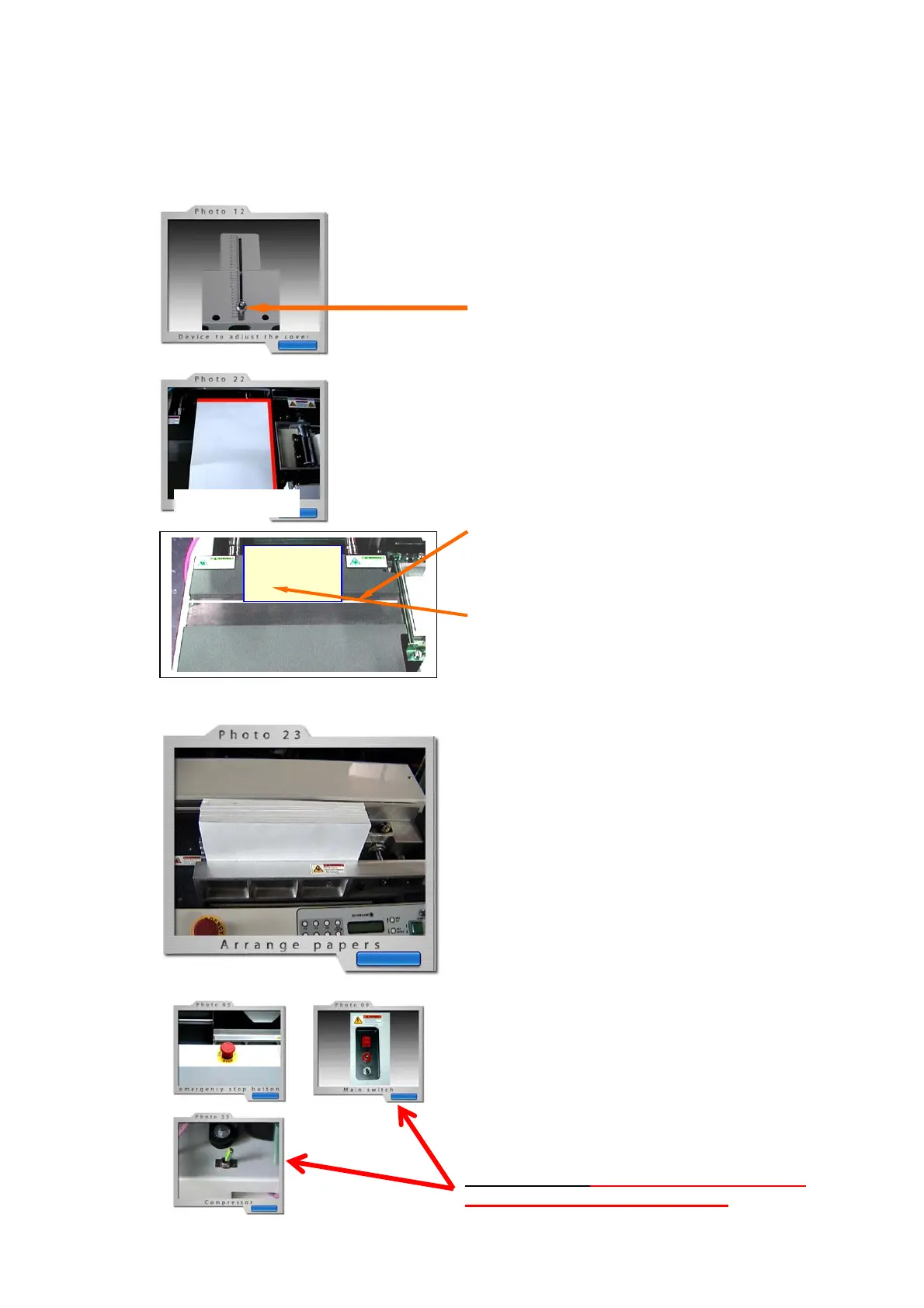
Place cover sheet correct onto back-device–stop
for cover sheet
and position the cover sheet onto the guides on
right side of cover – close to glue tank.
Device to set cover
Has to be set for correct position of cover sheet
in relation of type of book to be bound.
Back-Stop can be unlocked/locked with thumb
screw and moved into desired position.
Position of cover
Set the cover-sheet with Back-Stop so, that the
back-fold of cover from finished book is in line with
Indicator-Line on bottom plate of cover-pressing
unit.
This is easy done in case the front print of cover is
in size of inner pages of book. (Final dimension of
book):
A sheet of inner pages of book with edge to be
bound, place exact onto Indicator-Line and set
the back stop against the outer edge of placed
inner sheet.
Load paper to be bound in Clamp-device
Paper to be bound must be positioned in clamp in
full right side against the round right hand guide-
rod.
The sensor on back clamp must be covered always
by paper.
Make sure that all sheets are knocked down to get
an even spine and a neat glue appliance.
For clamping press the button for compression
(No 2, see section 4)
And start the binding procedure by pressing the
start-button (No1, see section 4)
For serial binding procedure repeat all steps as
described above.
For interruption of binding production it is
recommended to switch into Stand-By mode.
(See section 4)
In emergency press emergency stop button.
End of binding: Shut off main switches on
machine and on air compressor!


 To Next Page
 Loading...