EasyManua.ls Logo

Mortara Quinton CR60 - User Manual

Mortara Quinton CR60
62 pages
Print Icon
To Next Page IconTo Next Page
Loading...
TABLE OF CONTENTS
REF 042102-001 Rev C1
CR60
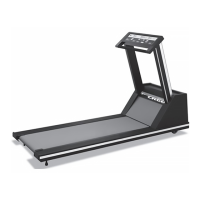
REHABILITATION TREADMILL
USER MANUAL
Manufactured by Mortara Instrument, Inc., Milwaukee, Wisconsin U.S.A.
CAUTION: Federal law restricts this device to sale by or on the order of a physician.

Table of Contents

Other manuals for Mortara Quinton CR60

Questions and Answers

  • E
    Elizabeth MatthewsAug 20, 2025
    Why does my Mortara Quinton CR60 belt stop and show an over-current error code?
    • C
      Christine MackAug 20, 2025
      Stopping the Mortara Treadmill belt for more than 2 seconds when it is set to ON can cause an over-current shutdown. To resolve this, avoid stopping the belt for longer than 2 seconds. Additionally, consider turning over or replacing the deck and belt.
  • J
    Joseph GonzalezAug 22, 2025
    How to fix squealing sound on Mortara Quinton CR60 Treadmill?
    • C
      cameronpierceAug 23, 2025
      If your Mortara Treadmill is making a squealing sound similar to a loose automobile fan belt, the drive belt might be loose. Try adjusting the belt tension, and if the squealing persists, replace the belt.
  • J
    Joseph MeyerAug 25, 2025
    What to do if my Mortara Quinton CR60 shows error E203?
    • T
      Thomas GomezAug 26, 2025
      Error E203 on your Mortara Treadmill indicates a motor overload. This can be due to several reasons: 1. The runner being heavier than the weight/speed specifications. 2. Deck wear. 3. A disconnected or loose motor lead. 4. An electrical short on the board near the power electronics. 5. Power electronic component failure. 6. The motor being blocked by an obstruction. To resolve this: 1. Restrict use to people within the weight/speed specifications. 2. Check the deck wear and replace it if necessary. 3. Ensure all motor leads are connected properly. 4. Examine the board for shorts, blackened components, or discoloration. Replace the board if damaged. 5. Remove any obstructions.
  • J
    Joseph WilsonAug 27, 2025
    How to fix squealing sound similar to automobile fan belt on Mortara Treadmill when user’s foot strikes the deck?
    • T
      Thomas MooreAug 28, 2025
      If your Mortara Treadmill is making a squealing sound similar to an automobile fan belt and the walk belt slows down when the user’s foot strikes the deck, the drive motor belt (poly-V drive belt) is likely slipping. To fix this, adjust the belt tension or replace the belt.
  • R
    Rebecca ClarkAug 30, 2025
    What causes knocking or thumping in Mortara Treadmill?
    • M
      Mary JohnsonAug 30, 2025
      Knocking or thumping sounds in your Mortara Treadmill, with the rate increasing and decreasing with walking belt speed, are likely due to the front or rear roller (pulley) assembly bearings. To resolve this, isolate and replace the affected roller.
  • C
    Christopher MartinezSep 1, 2025
    What to do if Mortara Quinton CR60 shows error E105?
    • I
      irodriguezSep 1, 2025
      To address error E105 on your Mortara Treadmill: 1. Press Stop, Faster, and Slower to enter Service Mode. 2. Press Stop and Cool Down to reinitialize NVRAM. 3. Press Clear. 4. Reconfigure the controller. If the error persists, replace the controller.
  • R
    Rachel AllenSep 4, 2025
    How to fix popping during grade change on Mortara Treadmill?
    • M
      mcobbSep 4, 2025
      If you hear popping sounds during grade changes on your Mortara Treadmill, it is likely due to faulty elevation chain alignment. Adjust the alignment of the sprockets to resolve this issue.
  • N
    Nicholas MeyersSep 6, 2025
    How to troubleshoot Mortara Quinton CR60 Treadmill error E201?
    • S
      Seth MyersSep 6, 2025
      To troubleshoot error E201 on your Mortara Treadmill: 1. Enter service mode. 2. Calibrate POT. 3. If the error persists, replace POT. 4. If the error continues, replace the AC Drive Module.
  • A
    Alex MartinezSep 9, 2025
    What to do if Mortara Quinton CR60 shows error E101?
    • R
      Ruth LunaSep 9, 2025
      To resolve error E101 on your Mortara Treadmill, replace the controller.
  • J
    Jennifer BrownSep 12, 2025
    What to do if Mortara Quinton CR60 shows error E102?
    • M
      Maria PerrySep 12, 2025
      To fix error E102 on your Mortara Treadmill, replace the controller.

Summary

Preface and Liability

Liability Notice and Disclaimer

Details Mortara's responsibility limitations and conditions for warranty claims.

General Statements and Support

Technical Support and Service Contacts

Provides contact information for technical support, sales, and service across different regions.

Notices and Responsibilities

Manufacturers Responsibility and Limitations

Defines conditions under which Mortara is responsible for product safety and performance.

Customer Responsibilities and Maintenance

Outlines the user's duty for maintenance and proper operation to prevent failures.

Equipment Identification and Notices

Explains equipment identification and copyright/trademark notices.

Important Information and Disclaimers

Informs about potential document changes, warranty disclaimers, and no commitment to updates.

Warranty Information

Mortara Product Warranty Details

Details warranty terms, duration, and exclusions for components and products.

User Safety Information

Critical Safety Warnings and Precautions

Provides essential safety precautions and warnings for operating the treadmill and connected equipment.

Equipment Symbols and Markings

Symbol Delineation and Meaning

Explains the meaning of various symbols and warning labels found on the treadmill for user protection.

General Care and Maintenance

Disinfection Procedures

Provides instructions for disinfecting the treadmill, emphasizing no liquids on the deck surface.

Daily Cleaning Instructions

Daily cleaning instructions for the treadmill exterior and walking belt.

Weekly Maintenance Tasks

Weekly maintenance: vacuuming under the treadmill after elevating it.

Periodic Cleaning Recommendations

Periodic internal cleaning recommended by an authorized technician for dust/lint accumulation.

General Cleaning Cautions

General cautions regarding cleaning: unplugging power and avoiding liquid ingress.

Electromagnetic Compatibility (EMC)

Electromagnetic Emissions Guidance

Specifies emission tests, compliance levels, and guidance for the electromagnetic environment.

Electromagnetic Immunity Guidance

Details immunity tests, compliance levels, and guidance for the electromagnetic environment.

Electromagnetic Immunity and Separation Distances

Provides recommended separation distances for RF communications equipment to avoid interference.

RF Separation Distances Table

Table detailing separation distances based on transmitter power and frequency to prevent interference.

Introduction to CR60 Treadmill

CR60 Treadmill Overview

Overview of the CR60 treadmill features: walking surface, speed, grade, and controller.

Treadmill Configuration Diagram

Illustrates and labels the main components of the treadmill configuration.

Controller and Power Operations

Introduces the controller and the power circuit breaker's function for operating the treadmill.

Controller Panel Description

Describes the computerized control panel for operating the treadmill and its displays.

Controller Key Functions

Explains the function of each key on the treadmill controller panel.

Controller Displays and Indicators

Details the different displays and indicator LEDs on the controller and their functions.

Setting Treadmill Speed Range

Procedure to configure the treadmill's speed range when replacing a controller.

Treadmill Limit Controls Explained

Introduces limited access, time limit, and speed limit controls for restricted or controlled treadmill use.

Optional Accessories and Parts

Lists available accessories and their part numbers, such as handrail kits.

Operating the Treadmill

Safe Operation Guidelines

Provides essential safety instructions for patients and staff when using the treadmill.

Treadmill Control Panel Operation

Explains how to use the controller keys for operating the treadmill, with safety warnings.

Treadmill Auto-Reset Feature

Describes the auto-reset function if the treadmill is inactive for five minutes.

Limited-Access Control Activation

Details how to activate and use the limited-access control with a magnetic key for security.

Time Limit Control Setup

Instructions for setting and deactivating the time limit for treadmill use.

Speed Limit Control Setup

Procedure to set and deactivate the speed limit for treadmill operation.

Changing Units Default Setting

Steps to change the default unit of measurement (English/metric) for displays and calculations.

Mounting and Dismounting Treadmill Safely

Step-by-step instructions for safely mounting and dismounting the treadmill belt.

Treadmill Operation Procedure

Detailed steps for powering on, setting parameters, and running the treadmill.

Maintenance and Troubleshooting

Daily Visual Inspection Guide

Daily checks for wear on the power cord and walking belt, and belt centering.

Treadmill Cleaning Instructions

Instructions for cleaning the exterior and interior of the treadmill, with safety precautions.

Disinfection Guidelines

Procedures for disinfecting the treadmill, advising against liquids on the deck.

Adjustment Tools and Safety

Lists tools required for adjustments and warns about clothing hazards.

Adjusting Belt Tension

Procedure for adjusting belt tension when the belt slips or moves unsteadily.

Adjusting Belt Tracking

Instructions for adjusting the belt tracking when it moves to one side.

Cumulative Usage Tracking

How to determine total distance and time usage for service scheduling.

Electrical Safety Testing

Requirement for periodic electrical testing, including leakage current checks.

Moving and Storing the Treadmill

Safety warnings and steps for moving and storing the treadmill, requiring two people.

Treadmill Re-use After Storage

Checks required before reusing the treadmill after moving or storage.

Troubleshooting Common Problems

Initial troubleshooting steps for common issues and contact information for support.

Treadmill Error Code Reference

Lists and explains system error codes (E101-E105, E201-EPLO) displayed by the controller.

Troubleshooting Problem Guide

A guide matching treadmill problems with their possible causes and remedies.

Specifications and Performance

CR60 Treadmill Detailed Specifications

Detailed specifications for performance, physical dimensions, environmental, and power requirements.

Controller Specifications: Speed and Grade

Specifies controller display types, units, range, increment, and accuracy for speed and grade.

Multifunction Display Parameters

Details the multifunction display, including parameters like calories, caloric rate, METS, and scan.

Speed vs. User Weight Graph

Graph illustrating the relationship between treadmill speed and user weight.

Grade vs. Angle Relationship Table

Table and formula showing the relationship between treadmill grade percentage and angle in degrees.

Receiving and Installation Guide

Receiving Treadmill Shipment

Instructions for verifying received items, inspecting for damage, and handling shipping claims.

Professional Installation Recommendation

Recommends professional installation and verifies equipment condition and connectivity.

Site Requirements for Installation

Specifies requirements for the power line and operating environment, including clearance and surface.

Treadmill Installation Procedure

Step-by-step guide for installing the treadmill, including tools and procedures.

Treadmill Hood and Bracket Installation

Continues installation steps for attaching the hood and grounding brackets.

Final Installation and Configuration

Final installation steps: hood cover, front-end caps, power verification, and speed range configuration.

Testing Treadmill and Controller Functions

Procedure for testing all treadmill functions, including speed, grade, and belt operation.

Controls, Displays, and Indicators

Treadmill Controller Key Functions

Describes the function of each control key on the treadmill controller, including Power and Units.

Clear Key Functionality

Explains the Clear key's function for erasing readings and resetting the timer.

Select Key Functionality

Details the Select key's dual function for entering user data and choosing display parameters.

Cool Down Key Functionality

Describes the Cool Down key's function to slow the treadmill for a cool-down period.

Stop Belt Key Functionality

Explains the function of the Stop Belt keys for gradually stopping the walking belt.

Limited Access Control Operation

Explains how to activate and deactivate the limited access control using a magnetic key.

Time Limit Control Operation

Instructions for setting and deactivating the time limit for treadmill use.

Speed Limit Control Operation

Procedure to set and deactivate the speed limit for treadmill operation.

Controller Display Functions

Describes the three controller displays: grade, speed, and multifunction.

Indicator LED Functions

Explains the function of indicator LEDs like Enter Weight and Enter Time.

Multifunction Display Parameter LEDs

Explains the LEDs adjacent to the multifunction display indicating selected parameters.

Unit Selection Indicator LEDs

Explains the LEDs for MPH/KM/H indicating the selected unit of measurement.

Mortara Quinton CR60 Specifications

General IconGeneral
Running Surface20 in x 60 in (51 cm x 152 cm)
Weight Capacity400 lbs (181 kg)
Dimensions83 in L x 34 in W x 56 in H (211 cm L x 86 cm W x 142 cm H)
DisplayLCD
Motor3.0 HP continuous duty
Emergency StopYes
ProgramsMultiple pre-programmed exercise protocols