9
10.1
10.2
10.3
10.4
10
MOTION CM-35 ELECTRONIC CURTAIN MOTOR
MOTION CM-35 ELECTRONIC CURTAIN MOTOR
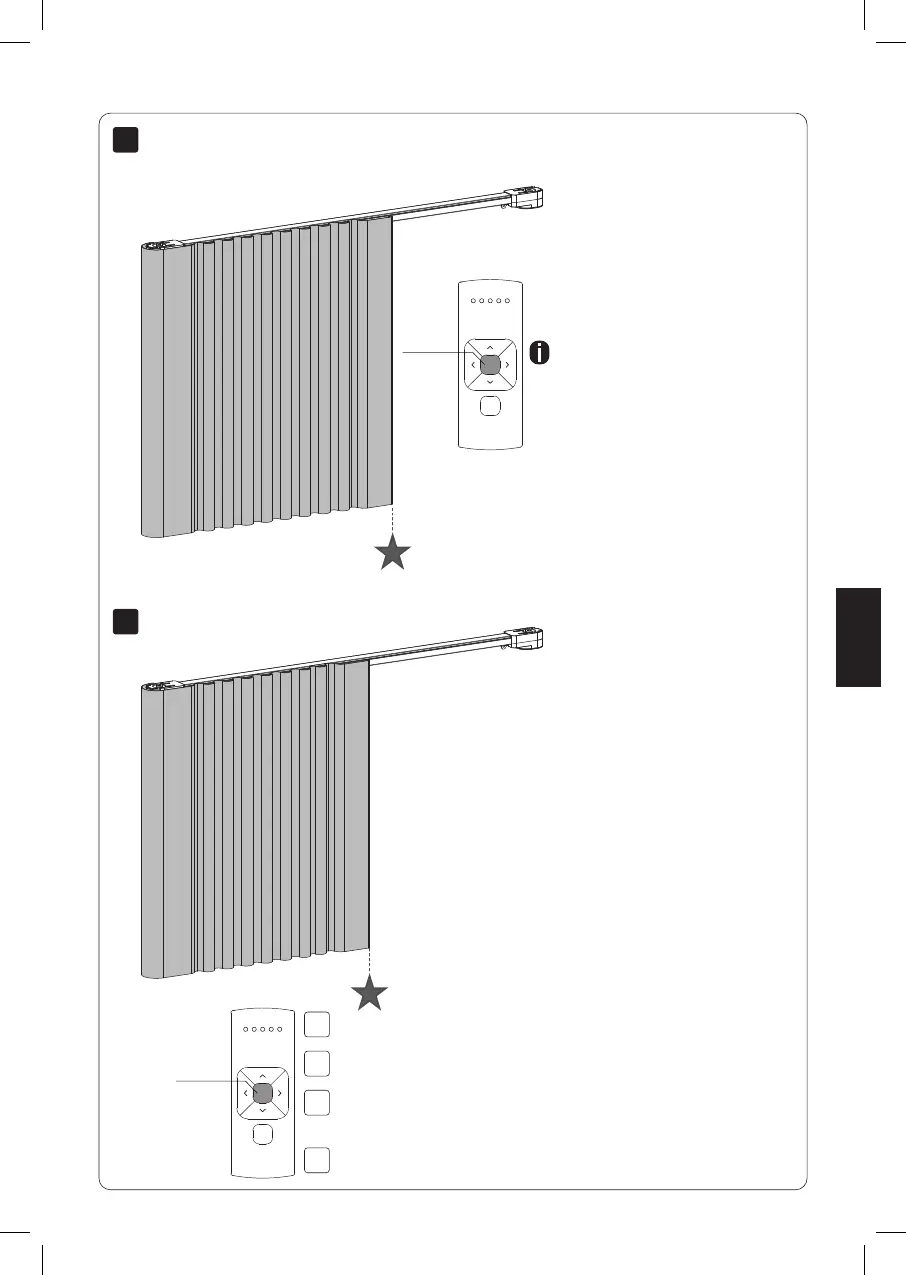
Center
Move to favourite position
Remote control: Press the center button to
move the blind to the favourite position.
Reset favourite position
Center
Move the blind to a desired favourite position.
Press the program button on the motor to activate
program mode. The blind starts stepping.
Hold the center button to save this favourite position. The blind shortly stops
stepping indicating the favourite position has been saved succesfully.
Press the program button on the motor to de-activate
program mode. The blind stops stepping.
English
19
CM35AC Curtain motor.indd 19 31-07-2020 13:53



 To Next Page