Chapter 3
Curve SUC Operating Instructions
The Single-Unit Charger (SUC) kit is able to charge the following batteries:
1 Curve Series radio with battery or radio with battery and holster.
2 Standalone batteries as listed in Authorized Accessories
on page 11
NOTE: Batteries charge best at room temperature.
3.1
Charging Procedure
Procedure:
1 Place the Curve Single-Unit Charger (SUC) Tray on a flat surface.
2 Insert the connector of the power supply into the port on the side of the drop-in tray charger.
3 Plug the wall receptacle end of the power supply cord into appropriate AC outlet.
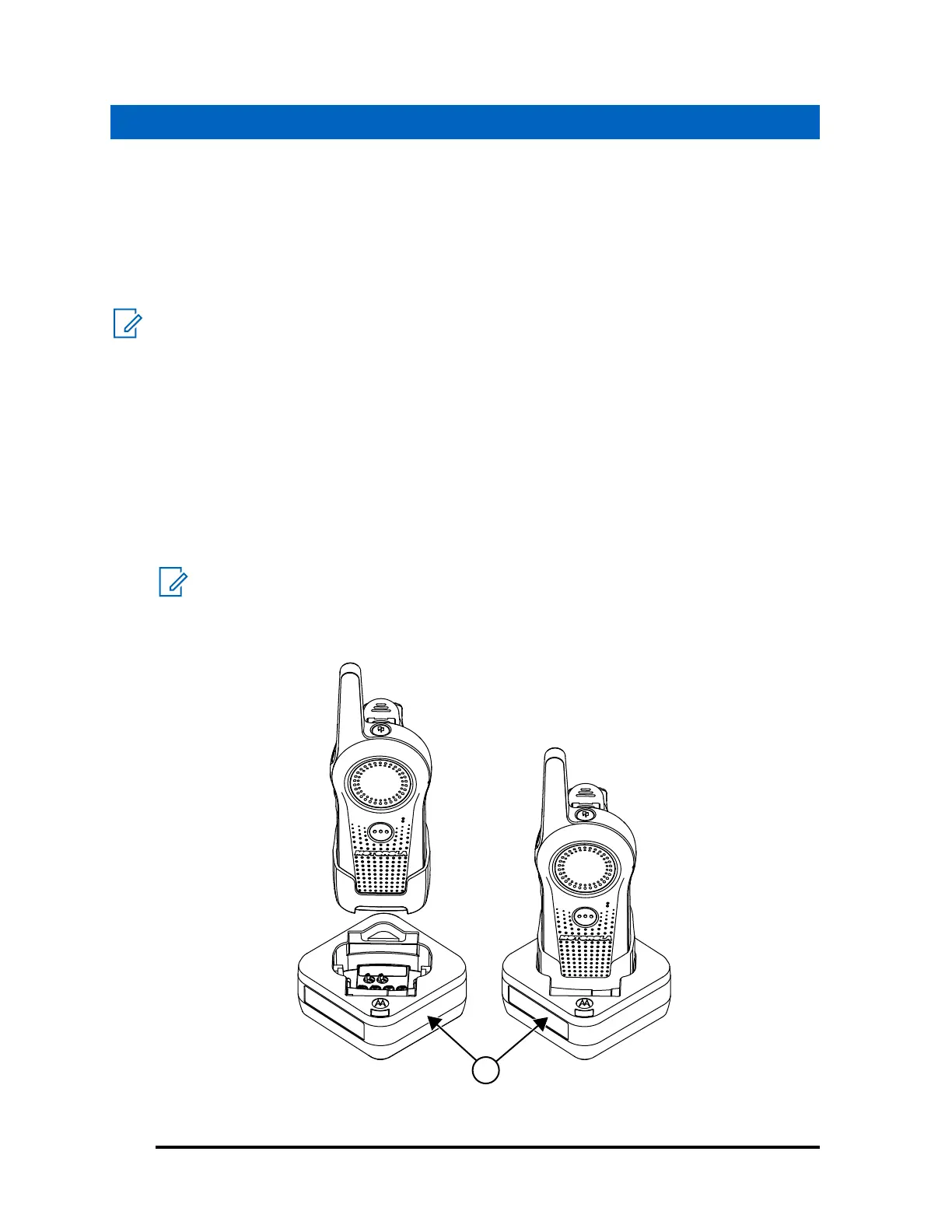
4 Insert the radio into the tray with the front of the radio facing the front of the charger.
NOTE: Ensure that the radio is turned off before charging. The radio turns off by default
when placed in the SUC.
Figure 1: Insert the Radio to the Charger Pocket
1 Curve SUC Tray
MN007877A01-AB
Chapter 3 : Curve SUC Operating Instructions
12



 To Next Page
 Loading...










