
 Need help?
Do you have a question about the Motorola Bolt Smart Safe and is the answer not in the manual?
Key safety instructions and warnings for safe usage.
Specifies the type of batteries required for the safe's operation.
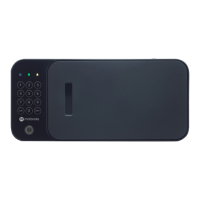
Details features and box contents for the Bolt model.
Details features and box contents for the Flex model.
Details features and box contents for the XL model.
Information on the necessary Wi-Fi network for smartphone connectivity.
Guidelines on where to place and how to use the safe safely.
Guidance on checking shipment contents against manual lists.
Specific setup considerations for the Bolt model.
Specific setup considerations for the Flex model.
Specific setup considerations for the XL model.
Installation instructions for the Bolt model.
Installation instructions for the Flex model.
Installation instructions for the XL model.
Setup steps for the Bolt model, including power and access code.
Setup steps for the Flex model, including power and access code.
Setup steps for the XL model, including power and access code.
How to configure fingerprint access for the XL model.
Enabling internet connectivity and smartphone features.
Activating the safe's tamper detection feature.
Information on battery power and the XL's power cord.
Details on multi-user access for the XL model.
Methods to open the safe.
How the safe automatically locks and alerts.
Explanation of tamper detection and how to arm/disarm it.
Process for updating firmware on the Bolt model.
Process for updating firmware on the Flex model.
Process for updating firmware on the XL model.
How to manage users and access via the app.
Benefits and requirements of using Connected Mode.
Functionality when not connected to the internet.
Types of notifications received from the app.
Solutions for keypad lockout or forgotten combinations.
Resolving issues with connectivity and app alerts.
Procedures for soft, hard, and combined resets.
How to contact support via phone and email.
Expected timeframe for customer service replies.
Coverage, exclusions, and duration of the product warranty.
Steps to follow to claim warranty service.
Compliance with FCC RF radiation exposure limits.
Conditions for operation and potential interference.
Compliance with Canadian license-exempt RSS.
Manufacturer's website, email, and phone number.

 To Next Page
 General