EasyManua.ls Logo

Motorola Flex Smart Safe - User Manual

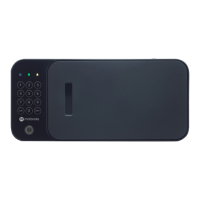
Motorola Flex Smart Safe
36 pages
Print Icon
To Next Page IconTo Next Page
Loading...
Smart Safe User Manual
Motorola Bolt Smart Safe
Motorola Flex Smart Safe
Motorola XL Smart Safe
smartsafe.com/support
ITSmart Security, LLC
West Harrison, NY 10604
United States of America
http://smartsafe.com
info@smartsafe.com
+1 (800) 485-8904
Smart Safe User Manual
ITSmart Security, LLC
Question and Answer IconNeed help?

Do you have a question about the Motorola Flex Smart Safe and is the answer not in the manual?

Summary

Please Read

Important Safety and Usage Guidelines

Key warnings about medication, keys, battery types, and safe placement.

Before You Start

Safe Usage and Security Practices

Guidelines for safe placement, medication storage, and key security.

Model: Motorola Bolt Smart Safe

Model: Motorola Flex Smart Safe

Model: Motorola XL Smart Safe

Installation

Bolt Smart Safe Installation Guide

Details tools and steps for securely mounting the Bolt Smart Safe to a wall or cabinet.

Flex Smart Safe Installation Guide

Explains the no-tool installation method for the Flex Smart Safe using expandable wings.

XL Smart Safe Installation

Set Up Your Smart Safe

Bolt Safe Power Up and Access Code

Instructions for powering the Bolt Smart Safe and setting the primary access code.

Bolt Smart Safe Configuration

Set Up Your Flex Safe

Flex Safe Power Up and Access Code

Instructions for powering the Flex Smart Safe and setting the primary access code.

Configuration for Flex Safe

Set Up Your XL Safe

XL Safe Power Up Procedure

Instructions for powering the XL Smart Safe using the power adapter or batteries.

XL Safe Access Configuration

XL Safe User and Fingerprint Access

Guides on setting user codes and registering fingerprints for secure access on the XL Smart Safe.

XL Safe Connectivity and Security

Connected Mode and Tamper Detection

Guides on enabling Connected Mode and activating Tamper Detection for the XL Smart Safe.

Using Your Smart Safe

Safe Locking and Tamper Detection

Instructions on locking the safe, alerts for open doors, and how Tamper Detection works.

Firmware Updates

XL Safe Firmware Update Process

Connected Mode and Smartphone App

Smart Safe App Usage and Notifications

Push Notification Configuration

Troubleshooting Common Problems

Access and Keypad Issues

Addresses issues like keypad lockout, forgotten passcodes, and lost backup keys.

Smart Safe Reset Procedures

Soft, Hard, and Combined Resets

Provides instructions for performing soft, hard, and combined resets to resolve issues.

Power and Tamper Detection Help

Limited Warranty Details

Warranty Terms and Limitations

Motorola Flex Smart Safe Specifications

General IconGeneral
BrandMotorola
ModelFlex Smart Safe
ConnectivityBluetooth
Lock TypeElectronic
MaterialSteel
Power SourceBattery

Related product manuals