5
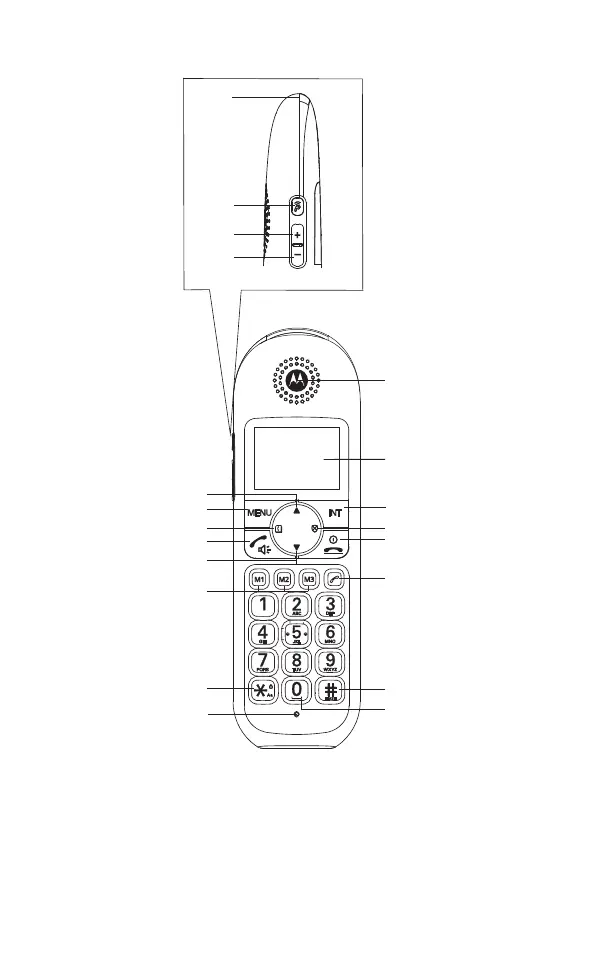
3. Overview of the handset
A Handset LED
Flashes when there is an incoming call.
B Amplified volume
During a call, press to amplify the ear piece volume.
C Earpiece volume up
During a call, press to increase the earpiece volume.
D Earpiece volume down
During a call, press to decrease the earpiece volume.
E
F
G
H
I
N
J
K
L
M
O
P
Q
R
S
T
A
B
D
C


 To Next Page
 Loading...