38 Webtop application
Hide your location
To hide your location from a friend, touch Menu
>
Latitude
to show your list of friends. Touch a friend on
the list, then touch
Sharing options
>
Hide from this
friend
.
Turn off Google Latitude
Touch Menu >
Latitude
to show your list of friends.
Touch Menu >
Settings
>
Sign out of Latitude
.
Webtop application
extend your capabilities
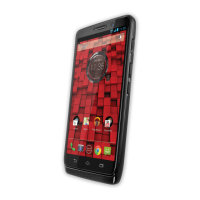
Webtop application instantly extends the capabilities of
your DROID BIONIC™ by Motorola smartphone.
Connect to a Motorola Lapdock™, HD Station, or
Adapter for webtop application to expand your
smartphone’s interface onto any full-sized monitor or
HDTV. The webtop application launches a full Firefox®
4.0 browser and gives you access to your phone’s
interface and Android apps, letting you surf the web,
make a call, send a text, stream a movie on Netflix, or
run Google Docs. Multiple windows let you do it all at
the same time—something other smartphones just
can’t do. The Motorola Lapdock has an integrated 11.6"
screen and a full keyboard so you can stay productive
anywhere. Pair a wired or wireless keyboard and mouse
with HD Station or Adapter for webtop application to
enhance your productivity with the webtop application.
Connect the webtop application
Connect your smartphone to the Motorola Lapdock to
automatically launch the webtop application.
Connect your smartphone to an HD display using the
optional HD Station or Adapter for webtop application,
then choose the webtop application from the
application menu.









 To Next Page