
 Need help?
Do you have a question about the Motorola EASE35 and is the answer not in the manual?
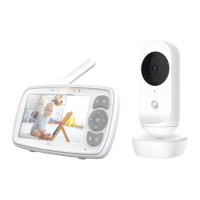
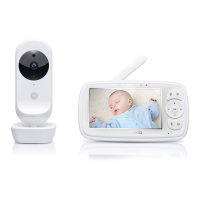
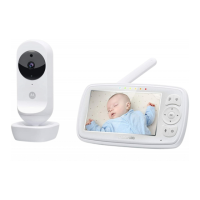
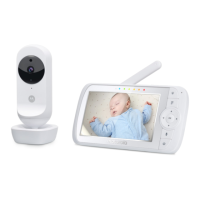
This document describes the Motorola 5" Video Baby Monitor, models EASE35, EASE35-2, EASE35-3, and EASE35-4. This monitor allows you to see and hear your baby sleeping in another room or monitor older children in their playroom.
The Motorola 5" Video Baby Monitor consists of a Parent Unit (monitor) and one or more Baby Units (cameras). The Baby Unit captures video and audio of your baby's room, including night vision capabilities, and transmits this information wirelessly to the Parent Unit. The Parent Unit features a 5-inch LCD screen to display the video feed, a speaker for audio, and controls to manage the camera and monitor settings. A temperature sensor on the Baby Unit also allows you to monitor the room's temperature, which is displayed on the Parent Unit. The system supports multiple cameras, allowing you to view different rooms or scan between multiple camera feeds.
The Parent Unit features a 5-inch LCD screen for video display. An ON/OFF and Charging LED indicates the unit's power and charging status: purple when ON, blue when connected to mains power, and blue when off but connected to mains power. Audio Level LEDs (green, amber, red) provide a visual indication of sound levels. Volume Up and Down buttons allow you to adjust the audio level. A Microphone enables two-way talk. The VIDEO ON/OFF button turns the LCD screen on or off while maintaining audio monitoring. The MENU button opens and closes menu options, which are navigated using the Navigation buttons (Up/Down/Right/Left). An OK button confirms selections. The TALK button, when pressed and held, activates two-way talk, allowing you to speak to your baby through the Baby Unit's loudspeaker. A Power button turns the Parent Unit ON/OFF. A recessed RESET button (requiring a small pin) is available for resetting the unit. The Parent Unit also includes a Power Socket, a Stand for desktop use, and a Speaker.
The Parent Unit's display includes various icons to indicate status and settings. These include:
The Baby Unit features eight Infrared LEDs for night vision, enabling clear images in dark conditions. A Light Sensor detects ambient light levels, automatically activating night vision when needed. The Camera Lens captures the video feed. A Power/Link indicator shows the unit's power and connection status. A High Sense Microphone picks up audio from the baby's room. A Speaker allows two-way communication. A PAIR button is used for registering the camera with the Parent Unit. A Power Socket connects the power adapter. A Temperature Sensor at the back of the unit monitors the room's temperature.
To set up, connect the power adapter to the Baby Unit's DC socket and plug it into an electrical outlet. The LED will illuminate blue when the camera is on. For the Parent Unit, connect its power adapter to the electrical outlet and press and hold the POWER button to turn it on. The Parent Unit has a built-in rechargeable battery providing up to 5 hours of operation. It is recommended to charge it for at least 16 hours before first use and when the battery is low (indicated by a red battery icon and beeping every 15 seconds).
The Baby Monitor is pre-registered to the Parent Unit. If a link is lost or a new Baby Unit needs to be added, follow the pairing procedure: access the menu on the Parent Unit, navigate to camera control, select "add," choose an available camera slot, and then press and hold the PAIR button on the Baby Unit until "PAIR OK" appears on the Parent Unit screen. A camera can only be registered to one Parent Unit at a time.
Place the Baby Unit in a convenient location, pointing the camera lens towards the desired monitoring area. Adjust the camera angle for an optimal view. Ensure the Baby Unit is out of the baby's reach and away from other electrical equipment to prevent interference. Night Vision Mode automatically activates in low light, displaying a black and white image on the Parent Unit, indicated by a moon icon. Talk Mode allows you to speak to your baby by pressing and holding the TALK button on the Parent Unit. A microphone icon will appear on the screen. The VIDEO ON/OFF button turns the LCD screen on or off while keeping the audio monitor active. Temperature Display shows the room temperature from the Baby Unit's sensor. Readings turn red if outside the optimal range (below 14°C/57°F or above 29°C/84°F) and display "HH" or "LL" for extreme temperatures.
At the end of its product life cycle, the monitor should not be disposed of with normal household waste. It should be taken to a collection point for recycling electrical and electronic equipment. Reusing materials contributes to environmental protection. The internal battery should be disposed of with the Parent Unit in an environmentally-friendly manner according to local regulations.
Clean the Baby Monitor with a slightly damp cloth or an anti-static cloth. Do not use thinners, solvents, or abrasive cleaning agents, as these can cause permanent damage and void the warranty. Keep the Baby Monitor away from hot, humid areas, strong sunlight, and moisture. Do not cover the monitor with a towel or blanket.
The product comes with a limited warranty. Consumer products are covered for two years from the original purchase date, and accessories for ninety days. Repaired or replaced products/accessories are covered for the balance of the original warranty or ninety days, whichever is longer. The warranty excludes normal wear and tear, batteries with less than 80% capacity or leakage, damage from abuse/misuse (improper operation, physical damage, contact with liquids, extreme heat, commercial use), use of non-Motorola branded products, unauthorized service/modification, altered products (removed/altered serial numbers, broken seals), and issues due to communication services.
For customer service, contact +491805 938 802 in Europe or email support@motorolastore.com. The full EU Declaration of Conformity is available online.
 General
| Two-Way Communication | Yes |
|---|---|
| Room Temperature Monitoring | Yes |
| Infrared Night Vision | Yes |
| Lullabies | Yes |
| Low Battery Alert | Yes |
| Out-of-Range Alert | Yes |
| Range | 1000 feet |
| Sound Activation | Yes |
| Out of Range Indicator | Yes |
| Low Battery Indicator | Yes |
| Battery Type (Parent Unit) | Rechargeable Battery |







 To Next Page