EasyManua.ls Logo

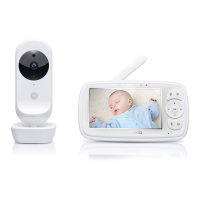
Motorola EASE44CONNECT - User Manual

Motorola EASE44CONNECT
38 pages
Print Icon
To Next Page IconTo Next Page
Loading...
USER’S GUIDE
4.3 " Wi-Fi® Video Baby Monitor
MODELS: EASE44CONNECT, EASE44CONNECT-2,
EASE44CONNECT-3, EASE34-4
The features described in this user’s guide are subject to modifications without prior notice.
Question and Answer IconNeed help?

Do you have a question about the Motorola EASE44CONNECT and is the answer not in the manual?

Summary

Safety Instructions

Cord Strangulation Hazard Warning

Warns about strangulation hazard from cords and advises keeping cords away from children.

Wi-Fi Camera Unit Setup

General Safety Warnings

General safety warnings regarding electromagnetic fields, adult assembly, and keeping small parts away.

Getting Started

Connecting Power Supplies

Instructions for connecting power to the Baby Unit and charging the Parent Unit.

Getting Started: Device Pairing

Using the Baby Monitor

Parent Unit Menu Options

Parent Unit Menu Options: Alarms and Cameras

Wi-Fi Internet Viewing Setup

System Requirements and Connection Overview

Outlines system requirements and the general process for remote viewing setup.

Wi-Fi Internet Viewing: Account and App Setup

Account Creation and App Setup

Download Hubble app, create an account, and sign up on your smart device.

Wi-Fi Internet Viewing: Camera Configuration

Camera Configuration and Pairing Process

Connect camera, add it to account, configure Wi-Fi, and pair the device through the app.

Wi-Fi Internet Viewing: Network Settings

Wi-Fi Internet Viewing: Pairing Confirmation

Camera Functions

Camera Reset Procedure

Help and Troubleshooting

Troubleshooting Wi-Fi Internet Viewing

Camera Access and Connectivity Issues

Troubleshooting for camera access, remote viewing limits, and setup failures.

Troubleshooting: General and Feature Issues

Motorola EASE44CONNECT Specifications

General IconGeneral
BrandMotorola
ModelEASE44CONNECT
CategoryBaby Monitor
LanguageEnglish

Related product manuals