EasyManua.ls Logo

Motorola Focus TAG - User Manual

Motorola Focus TAG
4 pages
Print Icon
To Next Page IconTo Next Page
Loading...
QUICK START GUIDE
Focus TAG
Works with FOCUS86 Wi-Fi
®
Home Video Camera
The features described in this guide are subject to modifications without
prior notice.
Question and Answer IconNeed help?

Do you have a question about the Motorola Focus TAG and is the answer not in the manual?

Summary

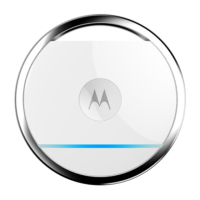
Overview of Focus TAG

Focus TAG Pairing Button

Press and hold the PAIR button for 5 seconds to pair the Focus TAG with your Android or iOS device.

Focus TAG LED Indicator

The LED light flashes in blue when the Focus TAG is in registration mode.

Install Battery

Power On

Install Hubble for Motorola Monitors App

Add Focus TAG as Motion or Presence Detector

Summary

Overview of Focus TAG

Focus TAG Pairing Button

Press and hold the PAIR button for 5 seconds to pair the Focus TAG with your Android or iOS device.

Focus TAG LED Indicator

The LED light flashes in blue when the Focus TAG is in registration mode.

Install Battery

Power On

Install Hubble for Motorola Monitors App

Add Focus TAG as Motion or Presence Detector

Motorola Focus TAG Specifications

General IconGeneral
TypeBluetooth Tracker
Water ResistanceIP67
CompatibilityAndroid and iOS
MaterialPlastic
ConnectivityBluetooth
FeaturesSeparation Alert
ColorBlack

Related product manuals