Getting Started - Connecting Devices 11
ENGLISH
Android™
• The following setup instructions will appear on the screen. (Picture A4)
• Press and hold the
PAIR
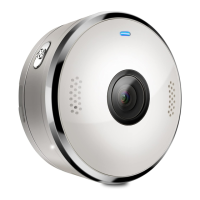
button on the bottom left edge of the Camera Unit
for 3 seconds. You will then hear a beep tone, followed by a voice prompt
indicating that the Camera is ready for pairing.
• Tap
Continue
.
• The App will automatically search for and connect to your Camera as shown
in the pictures below. (Pictures A5, A6)
• The blue/red colour LED on the Camera Unit will flash.


 To Next Page
 Loading...