13Getting to know your phone
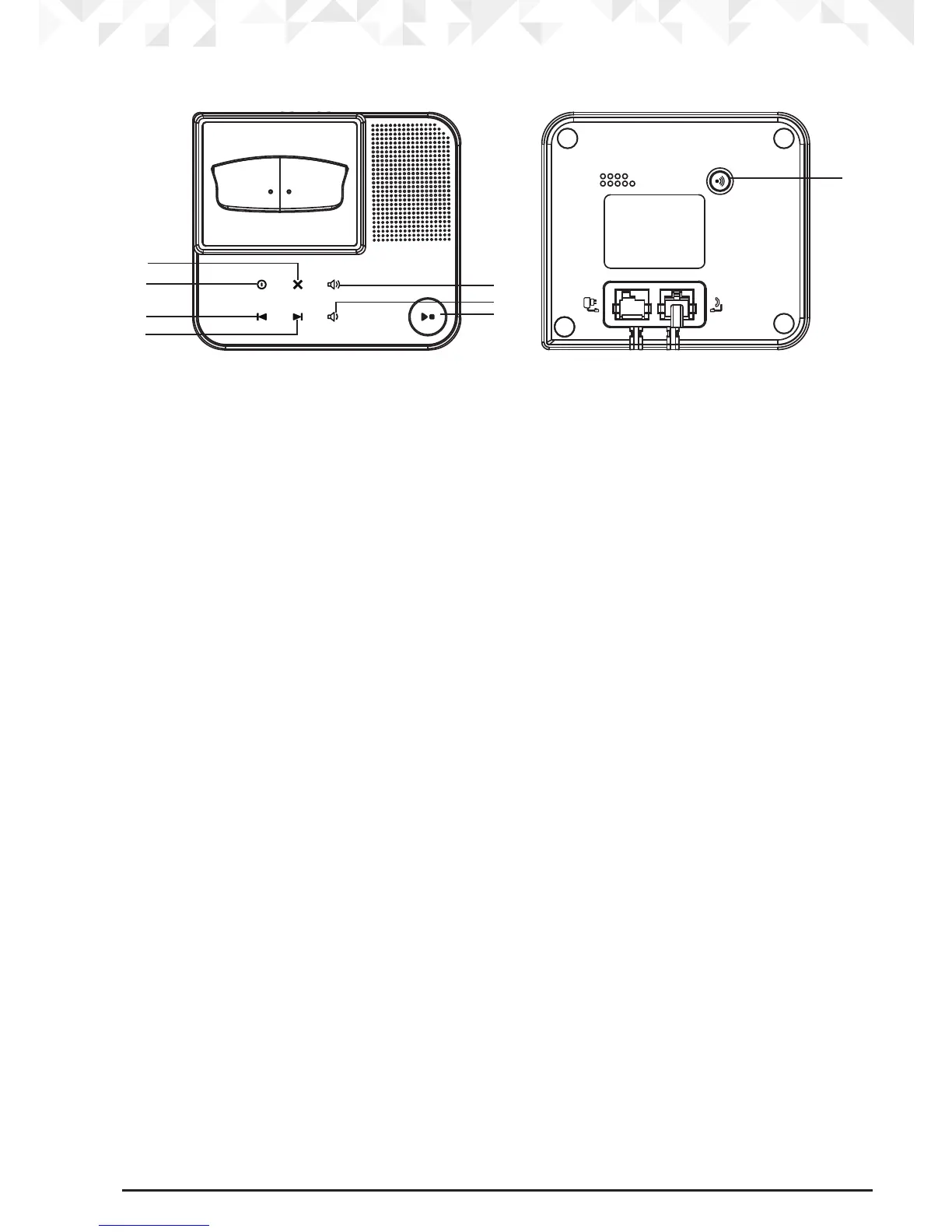
Overview of the base
A Delete
B Answering machine ON/OFF
C Skip back
D Skip forward
E Volume Up
F Volume Down
G Play / Stop
H Paging key
Paging is a useful way to nd lost handsets.
1. Press
p on the base.
All handsets ring.
2. Press
p again to cancel the paging call or press any key on the handset to stop the
paging call.
Answering machine key illumination
Answering machine ON/OFF - illuminates at all times.
Play - illuminates when the answering machine is ON / will flash when there are new
messages.
A
B
C
D
E
F
G
H


 To Next Page
 Loading...










