Getting Started 11
ENGLISH
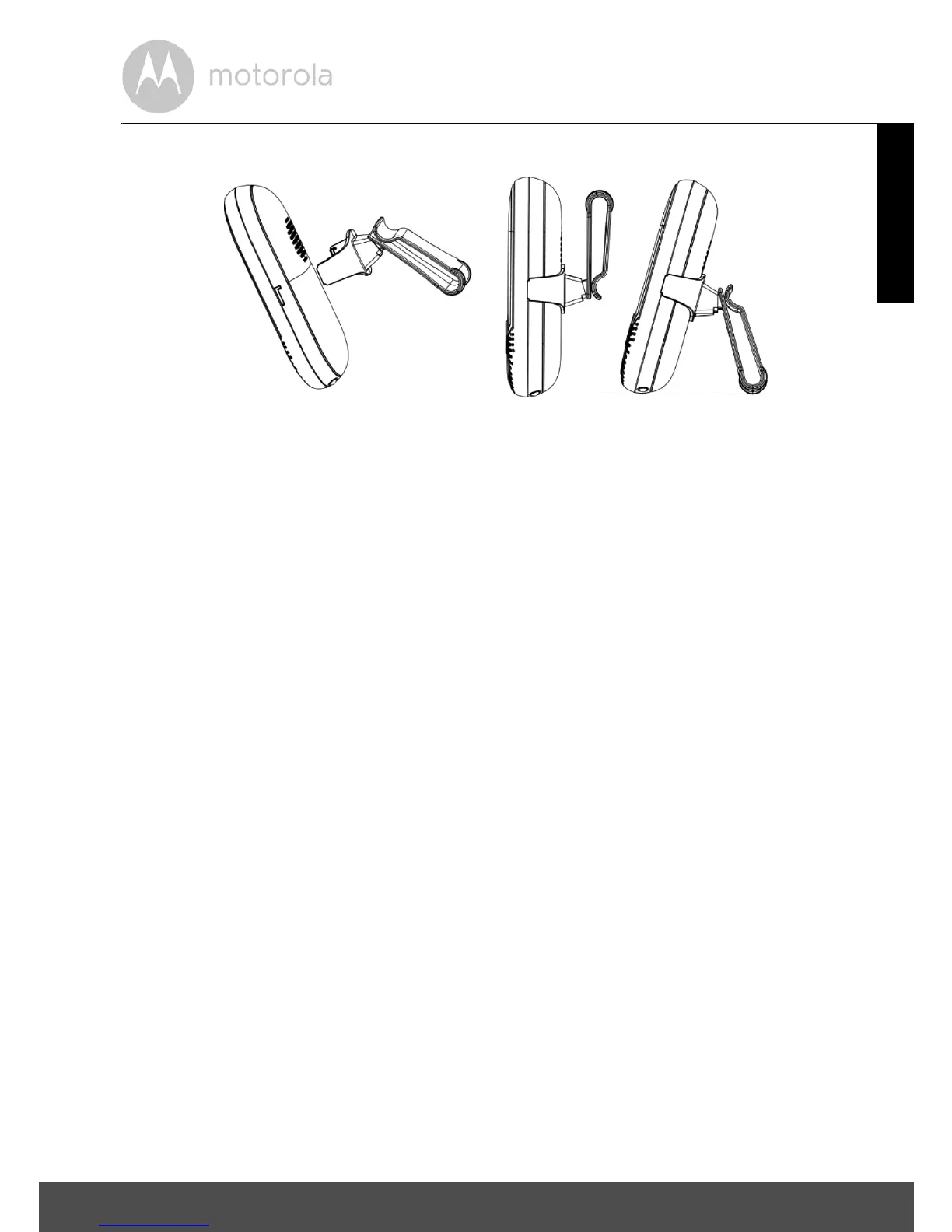
2.3 Belt clip/stand on parent unit
1. The belt clip/stand attaches to the back of the parent unit and clips into the
locking slots on each side.
NOTE
It will only fit one way, as indicated by UP and the arrows on the inside of the
clip.
2. The unit comes with the accessory fitted in the belt clip position.
3. You can convert it into the desktop position, by simply pulling the back part
of the clip out slightly and then rotating it by half a turn, as shown above.


 To Next Page
 Loading...