EasyManua.ls Logo

Motorola MG7315 - User Manual

Motorola MG7315
61 pages
Print Icon
To Next Page IconTo Next Page
Loading...
User Manual
8x4 Cable Modem
plus
N450 Wireless Router
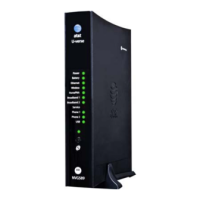
MG7315


Other manuals for Motorola MG7315

Question and Answer IconNeed help?

Do you have a question about the Motorola MG7315 and is the answer not in the manual?

Motorola MG7315 Specifications

General IconGeneral
TypeCable Modem Router
DOCSIS3.0
Max Download Speed343 Mbps
Max Upload Speed131 Mbps
Wi-Fi Standard802.11n
Ethernet Ports4
Channels8 downstream, 4 upstream
Wireless Speed300 Mbps
Frequency Band2.4 GHz
FirewallYes
Wireless SecurityWPA, WPA2
Security FeaturesSPI Firewall

Summary

Important Safety Information

Safety Precautions

Guidelines for safe operation, covering electrical hazards and environmental conditions.

Introduction to Your MG7315

Quick Start Guide

Included Accessories

Lists and identifies the components provided with the MG7315 modem/router.

Initial Connection Setup

Connecting the Coaxial Cable

Instructions on how to connect the modem/router to the coaxial cable service.

Front Panel Overview

Device Controls and Ports

Description of buttons, LEDs, and physical connection ports on the modem/router.

Device Activation Process

Prepare for Activation

Steps to take before activating the modem/router with your Internet service provider.

Activate Your Service

Instructions for activating the MG7315 with your cable Internet provider.

Accessing the Configuration Manager

Wireless Router Best Practices

Understanding Front Panel Lights

Power Status Indicators

Explanation of the Power light status and what it signifies.

Connection Status Indicators

Meaning of Upstream, Downstream, and Online light indicators.

Network Activity Indicators

Description of Ethernet and WLAN/WPS light behaviors.

Alternate Coaxial Cable Connections

Connecting Devices to Your Network

Connecting a Device via Ethernet

How to connect wired devices using Ethernet cables to the modem/router.

Setting Up Other Devices (HDTV, Media Streamers)

Using the Browser to Access Configuration

Basic Status and Settings Overview

Navigating the Configuration Interface

Advanced Configuration Menu

Special Device and Application Configuration

Gaming and Security Camera Setup

Configuring the router for specific applications like online gaming or security cameras.

Port Forwarding Configuration

Adding a New Forwarding Rule

Steps to create a new rule to forward internet requests to specific LAN addresses and ports.

Creating a Specific Port Forwarding Rule

Router Options Configuration

UPnP Configuration

Enabling or disabling Universal Plug and Play (UPnP) for network devices.

Firewall Basic Configuration

Firewall Setup Options

Configuring the basic firewall settings for network protection.

Modifying Wireless Network Settings

Changing Network Name and Password

Setting Up Wireless Guest Networks

Configuring Guest Network Details

Customizing Guest Network Name;Password

Steps to change the default name and password for guest networks.

Adjusting Firewall Settings

Firewall Protection Levels

Optimizing Wireless Performance

Wireless Scan and Bridging Tools

Selecting Optimal Wireless Channels

Wi-Fi Multimedia (WMM) Settings

Parental Control Features

Configuring Parental Control

Setting Up Website Blacklists

Creating lists of websites that specific devices are blocked from accessing.

Setting Up Website Whitelists

Creating lists of allowed websites for specific devices.

Creating a Website Blacklist

Creating a Website Whitelist

Scheduling Internet Access Times

Changing Device Login Credentials

System Reset and Security Modes

Resetting to Factory Defaults

How to restore the modem/router to its original factory settings.

Alternate Wi-Fi Security Options

Configuring WPA, WEP, and RADIUS security modes.

Enabling WPA-PSK Security

Supporting WEP Security

RADIUS Server Wireless Security Configuration

Troubleshooting Common Issues

No Internet Connection After Installation

Steps to resolve issues when the device cannot establish an internet connection.

Intermittent Internet Connectivity

Troubleshooting tips for when the internet connection frequently drops.

Addressing Slow Internet Speeds

Resolving Wireless Connection Drops

Recovering Lost Wi-Fi Credentials

Mitigating Wireless Interference

Product Support and Warranty

Customer Support Resources

Contact information and resources for technical assistance and product information.

Limited Product Warranty

Details regarding the warranty period and terms for the MG7315.

Regulatory Compliance Information

FCC Interference Statement

Information regarding FCC compliance and potential interference.

Related product manuals