3
Let’s get started
Before using your phone, please read the safety,
regulatory, and legal information provided with
your product.
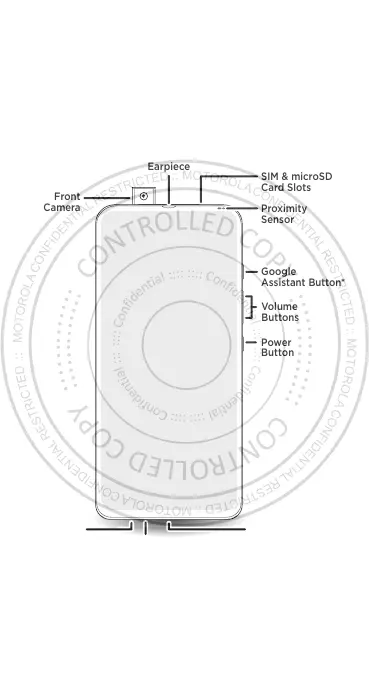
Headset
Jack
Front
Camera
USB-C/Charger
Microphone
SIM & microSD
Card Slots
Google
Assistant Button
Proximity
Sensor
Volume
Buttons
Power
Button
Earpiece
English
Press & hold: Say a command or question.
*Press: Open the Google Assistant.
Note: This feature may not be available in all languages.



 To Next Page
 Loading...