4
Insert the cards
Depending on the model, your phone might
support using two SIM cards.
Caution: make sure you use the correct size SIM
card and don't cut the SIM card.
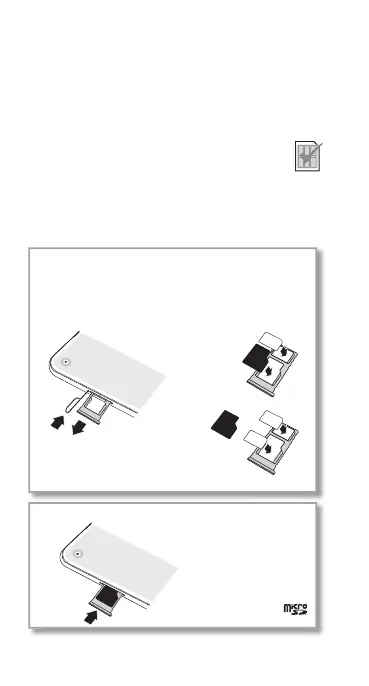
Push the tray back into your phone.
Insert the nano SIM and memory cards.
Insert the SIM cards with
the gold contacts facing
down. Insert an optional
microSD card (sold
separately).
Insert the SIM tool into
the tray hole to pop
out the tray.
Caution: handle the
tray with care to avoid
bending.
SIM2
SIM1
SIM1
Single-SIM
model:
Dual-SIM
model:
or



 To Next Page
 Loading...










