11
2. Getting to know your baby monitor
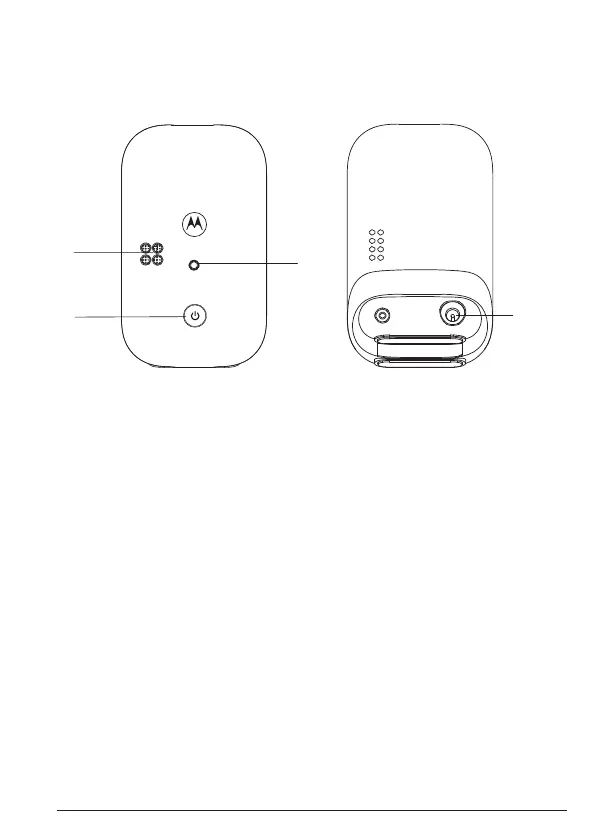
Overview of your baby unit
Front view Back view
A Microphone
B Power button
Press and hold to turn the baby unit on or o.
C Power / Linking LED indicator
Turns on when the parent unit is powered on and linked to the baby unit.
D Power jack
A
B
C
D
Getting to know your baby monitor


 To Next Page
 Loading...