11
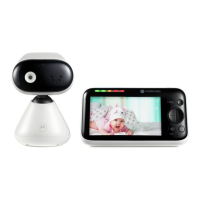
Overview of your parent unit
Front view Back view
1. Screen display
2. Dual sound level indications (front and top view)
3. Power button
Press and hold to turn on or o. Press to turn the screen on or o.
4. Menu button
Press to open the menu.
5.
OK
/ Zoom button
Press to confirm a selection.
Press to do video zoom in and out during monitoring your baby.
6. Navigation button
Pan or tilt the camera to dierent directions.
Adjust menu settings.
7. Volume / Back button
During monitoring your baby, press to pop up the speaker volume bar, then
scroll the navigation button to change the volume level.
8. Talk back button
Press and hold to talk to the baby.
9. Microphone
Picks up the sound from the parent when talking to the baby.
Note: Make sure you remove any cover or protective tape on it.
10. Antenna
11. Speaker
Getting to know your baby monitor
1
2
5
6
7
8
4
3
9
10
11



 To Next Page
 Loading...