22
Noise interference on your device
• To avoid background noise or echoes, ensure there is enough distance
between your device and the camera (baby unit).
• Use of other 2.4 GHz products, such as wireless networks (Wi-Fi® routers),
Bluetooth™ systems, or microwave ovens, may cause interference with this
product. Keep the parent and baby (camera) units at least 5 feet away from
these types of products, or switch them o if they appear to be causing
interference.
Lost connection
• Check your Wi-Fi® settings and reconnect your Wi-Fi® if necessary. Ensure
the baby (camera) unit is switched on. Wait for a few minutes for the baby
(camera) unit to connect with the Wi-Fi® system.
System Reset
• When problems such as lost connection, no sound and no video cannot be
fixed based on the above guides, you can try to do a system reset. Note
that after system reset, you will need to do the pairing to the app again.
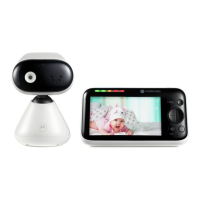
system reset for the parent unit: on the left hand side of the parent unit
and on the top of the DC socket, there is a small hole. Use a small pin to
insert and press into it. The parent unit will go through system reset.
system reset of the camera unit: follow the procedure as described in
section 4.4 of this user guide.
Help



 To Next Page
 Loading...