USER’S GUIDE
A
Pronto
™
Pronto FLX
™
Contents
Page
Introduction............................................................ 1
Controls ................................................................. 2
Turning Your Pager On ......................................... 3
Turning Your Pager Off ......................................... 3
Receiving and Reading Messages........................ 3
Turning the Light On and Off................................. 4
Changing Alert Modes........................................... 5
Setting the Time on Your Pronto Pager................. 5
Setting the Time on Your Pronto FLX Pager......... 6
Saving Messages .................................................. 6
Erasing Messages................................................. 7
Effective Use of Your Pager .................................. 7
Battery Information ................................................ 8
Features ................................................................ 9
Cleaning Your Pager ........................................... 10
Repair and Maintenance ..................................... 10
Patent Information ............................................... 11
1
Introduction
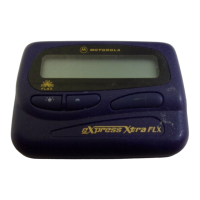
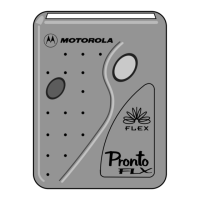
Congratulations on purchasing either a Pronto or
Pronto FLX
pager by Motorola
®
. This compact pager
uses many advances in electronic and wireless tech-
nology which allow you to receive numeric messages
instantly and affordably.
The Pronto FLX pager uses the latest in paging tech-
nology − FLEX TECHNOLOGY. This technological
advance extends battery life up to five times longer than
ordinary pagers. As a Motorola FLEX pager user, you
can feel more confident in receiving your pages be-
cause FLEX technology improves the ability to receive
pages. FLEX technology has been developed by
Motorola, the leader in paging innovation and quality.
2
Controls
Buttons
On/Read/Select − turn pager on, read incoming
messages, and select the function displayed.
Menu − scroll through the menu.
After performing any pager function described in this
user’s guide (setting the time, or changing the alert
mode), your pager automatically returns to the stand-
by screen and activates the selections you made.
Function Indicators
D
Audible Alert − a beep tone sounds for incoming
messages.
=
Message Lock − this message is saved, or locked
against deletion.
B
Continuous Message − more message informa-
tion is on the next screen.
Out of Range - if this option is enabled, this
indicator displays whenever the pager is out of
range of the paging transmitter. As long as the out
of range symbol is displayed, you will be unable
to receive any pages.
Menu
Button
On/Read/
Select
Button

 Need help?





 To Next Page
 General