EasyManua.ls Logo

Motorola RMN5038 - User Manual

Motorola RMN5038
2 pages
Print Icon
To Next Page IconTo Next Page
Loading...
Foreword
Product Safety and RF Exposure Compliance
ATTENTION!
This RSM, when attached to the radio, is restricted to
occupational use only to satisfy FCC RF energy exposure
requirements. Before using this product, read the RF energy
awareness information and operating instructions in the Product
Safety and RF Exposure booklet enclosed with your radio
(Motorola Publication part number 6881095C98) to ensure
compliance with RF energy exposure limits.
For information regarding radio use in a hazardous atmosphere,
please refer to the Factory Mutual (FM) Approval Product Listing,
which is included with radio models that offer this capability.
Radio Compatibility
The RMN5038 RSM is only compatible and certified for use with the
following radio models:
Note: This RSM is not compatible with JT 1000 or MTX 8000/9000
portable radios. These radios do not support the emergency
features on the RSM.
Submersibility
The RMN5038 is submersible at the mic head, including the strain
relief mic head/cord interface. The RMN5038 RSM is submersible at
the radio connector also, when used with the following Ruggedized
radio models:
RSM Enhanced Features
The following diagram will help you locate the enhanced physical
features of your RSM:
Attaching the RSM
To attach the RSM to the radio:
Receiving and Transmitting
When the RSM is connected to the radio, you will hear audio only from
the speaker in the microphone.
To transmit using your RSM:
Changing the Volume
The
®
and
²
buttons allow you to switch the volume from the radio’s
setting to a lower level and back again without having to touch the
radio. Press the
²
button to decrease the volume to a lower level;
press the
®
button to return the volume to the radio’s setting.
Using the Orange Emergency Button
The orange (top) button activates the Emergency mode of your radio.
Be sure to read the programming information on the next page.
Your radio’s User Guide contains a full description of the Emergency
mode.
To activate the Emergency mode from the RSM:
For XTS 3000 radios with host code 06.xx.xx and all XTS 1500,
XTS 2500, and XTS 5000 radios:
For all other radios:
Before using this product, read the operating
instructions for safe usage contained in the Product
Safety and RF Exposure booklet enclosed with your
radio.
XTS 5000 XTS 3500 XTS 3000 XTS 2500 XTS 1500
HT1000 MTS2000 MT2000 GT900 / HT1100
XTS 3000R XTS 3500R XTS 5000R
!
C a u t i o n
1 Align and attach the microphone’s connector to the radio’s
side connector.
2 Secure by tightening the screw on the upper end of the
connector.
1 Press and hold the Push-To-Talk (PTT) button on the RSM.
2 Speak into the RSM.
3 Release the PTT when finished.
Note: Connecting the RSM to the radio does not disable the radio’s
microphone and PTT.
Push-to-Talk
Button
Volume "+"
Button
Volume "-"
Button
Emergency
Button (orange)
1 Press and release the orange button on the RSM. The radio
will activate the Emergency signal after the programmed
Pre-Alert and Post-Alert delays elapse.
1 Press and hold the orange button on the RSM.
2 Wait for programmed Pre-Alert delay to elapse.
3 Listen for the Alert Tone (2 beeps).
4 Continue pressing the orange button through Post-Alert delay.
5 Release the orange button when the radio enters Emergency
mode.
Note: No alert tone will sound if the radio is programmed for silent
emergency.
The Emergency mode is indicated by a short, medium-pitched
tone. Display radios will alternate “emergency” with zone/channel
display. Radios programmed for silent emergency will not sound
alert or emergency tones, and the display will not change.
Question and Answer IconNeed help?

Do you have a question about the Motorola RMN5038 and is the answer not in the manual?

Summary

Product Safety and RF Exposure Compliance

Radio Compatibility

Details compatibility of the RSM with specific radio models for compliance.

Submersibility

Specifies submersible points of the RSM and compatible radios.

RSM Enhanced Features

Attaching the RSM

Instructions on how to securely connect the RSM to the radio.

Receiving and Transmitting

Information on audio output and Push-to-Talk (PTT) operation.

Changing the Volume

Using the Orange Emergency Button

Guide on activating the radio's emergency mode via the RSM.

CAUTION! RADIO PROGRAMMING REQUIRED

How to Program the Radio

Details essential radio programming for RSM emergency button functionality.

Attaching and Removing the Belt;Swivel Clip

Service, Support, and Warranty

Summary

Product Safety and RF Exposure Compliance

Radio Compatibility

Details compatibility of the RSM with specific radio models for compliance.

Submersibility

Specifies submersible points of the RSM and compatible radios.

RSM Enhanced Features

Attaching the RSM

Instructions on how to securely connect the RSM to the radio.

Receiving and Transmitting

Information on audio output and Push-to-Talk (PTT) operation.

Changing the Volume

Using the Orange Emergency Button

Guide on activating the radio's emergency mode via the RSM.

CAUTION! RADIO PROGRAMMING REQUIRED

How to Program the Radio

Details essential radio programming for RSM emergency button functionality.

Attaching and Removing the Belt;Swivel Clip

Service, Support, and Warranty

Overview

The Motorola RMN5038 is an Emergency Remote Speaker Microphone (RSM) designed for occupational use, ensuring compliance with FCC RF energy exposure requirements when attached to a compatible radio. It is crucial to read the accompanying Product Safety and RF Exposure booklet for safe usage and to understand RF energy exposure limits. For use in hazardous atmospheres, refer to the Factory Mutual (FM) Approval Product Listing.

Compatibility and Submersibility:

The RMN5038 RSM is compatible with a range of Motorola radio models, including XTS 5000, XTS 3500, XTS 3000, XTS 2500, XTS 1500, HT1000, MTS2000, MT2000, GT900, and HT1100. It is important to note that this RSM is not compatible with JT 1000 or MTX 8000/9000 portable radios, as these models do not support the RSM's emergency features. The RMN5038 is submersible at the microphone head, including the strain relief mic head/cord interface. It is also submersible at the radio connector when used with Ruggedized radio models such as XTS 3000R, XTS 3500R, and XTS 5000R.

Physical Features and Usage:

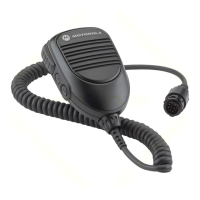
The RSM features a Push-to-Talk (PTT) button for transmitting, an orange Emergency Button for activating emergency mode, and Volume "+" and "-" buttons for adjusting audio levels.

Attaching the RSM:

To attach the RSM to a radio, align and connect the microphone's connector to the radio's side connector, then tighten the screw at the upper end of the connector to secure it.

Receiving and Transmitting:

When the RSM is connected, audio will only be heard from the microphone's speaker. To transmit, press and hold the PTT button, speak into the RSM, and release the PTT when finished. Connecting the RSM does not disable the radio's internal microphone and PTT.

Volume Control:

The Volume "+" and "-" buttons allow users to adjust the audio level independently of the radio's main volume setting. Pressing "-" decreases the volume, while pressing "+" returns it to the radio's set level.

Emergency Button Operation:

The orange Emergency Button activates the radio's Emergency mode. For XTS 3000 radios (host code 06.xx.xx) and all XTS 1500, XTS 2500, and XTS 5000 radios, press and release the orange button. The radio will activate the Emergency signal after programmed Pre-Alert and Post-Alert delays elapse. For all other compatible radios, press and hold the orange button, wait for the programmed Pre-Alert delay to elapse, listen for the two-beep Alert Tone, continue holding the button through the Post-Alert delay, and release it once the radio enters Emergency mode. If the radio is programmed for silent emergency, no alert tone will sound. Emergency mode is indicated by a short, medium-pitched tone, and display radios will alternate "emergency" with the zone/channel display. Silent emergency programming will suppress alert/emergency tones and display changes.

Radio Programming for Emergency Features:

Proper operation of the RSM's Emergency button requires specific radio programming. Emergency activation from the RSM is delayed by programmed Pre-Alert and Post-Alert delays. Factory defaults or previous programming may set these delays to 8-120 seconds, so it is essential to check and program the radio appropriately using Radio Service Software (RSS) or Customer Programming Software (CPS). The programming of Pre-Alert and Post-Alert delays only affects the RSM's Emergency button, not the radio's internal Emergency button.

Required Programming Features:

  • Emergency: Must be enabled.
  • Emergency Mandown: Must be enabled (automatically enabled in XTS models).
  • Emergency Mandown Pre-Alert Delay: Set to a short time period (0 to 1 second suggested).
  • Emergency Mandown Post-Alert Delay: Set to a short time period (0 to 1 second suggested).

Attaching and Removing the Belt/Swivel Clip:

To attach the belt/swivel clip, slide it down the grooved rails on the back of the RSM until it clicks into place. To remove it, insert a small screwdriver (or similar instrument) between the release tab and the back surface of the microphone. While holding the screwdriver against the release tab, push the clip toward the top of the microphone until it moves up and off.

Service, Support, and Warranty:

The RMN5038 Emergency RSM is not repairable and is covered by a standard Motorola one-year limited warranty. For detailed warranty information, contact your Motorola dealer or point-of-purchase. A replacement swivel clip (part number 4205823V01) can be ordered through your Motorola dealer or by calling Motorola Radio Products Services Division at 1-800-422-4210.

Motorola RMN5038 Specifications

General IconGeneral
BrandMotorola
ModelRMN5038
CategoryMicrophone
LanguageEnglish

Related product manuals