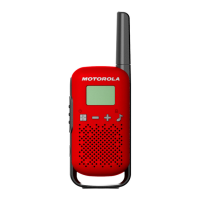
• Used to transmit messages. Press and hold to talk, release to listen.
Volume Control Knob
• Adjusts the volume and powers the radio on/off.
Channel Selector Knob
• Switches between communication channels. Rotate to select your desired channel.
6. Keeping Your Radio in Top Shape
Cleanliness is Key
• Use a damp cloth to wipe down your radio and remove dust or dirt. Avoid harsh
chemicals or submerging the radio in water.
Charge It Right
• Use the recommended charger to keep your battery powered. Refer to the User Guide for
proper charging procedures.
Treat it Well
• While the SL300 is built tough, avoid dropping it or exposing it to extreme temperatures.
7. Troubleshooting Tips
• Radio Not Turning On: Ensure the battery is charged and properly installed.
• Poor Audio Quality: Check the antenna attachment and ensure the volume is set at an
adequate level.
• Cannot Transmit or Receive: Verify you are on the correct channel and within range of
other radios.
8. Bonus Tips
Accessories Galore
• Explore holsters, earpieces, and other accessories to make using your radio more
comfortable and convenient.
9. Need More Information?



 To Next Page
 Loading...